Home Blog Page 101

Instagram Shop – How to Set up Instagram Shop | Instagram Shopping

0

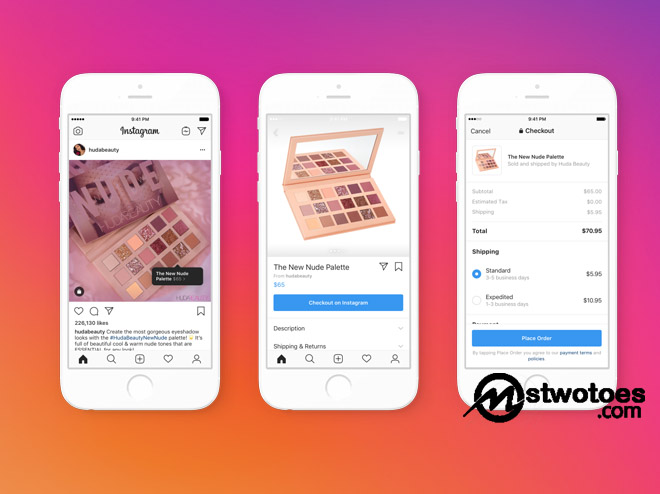
Instagram shop which is also known as Instagram shopping is a new feature where people can check out items. However, the Instagram shop was recently launched for small businesses as a new means of e-commerce destination where customers can check out items from Instagram. Small businesses can add the Instagram shop section to their Instagram page where customers can view to check out items. However, this is similar to the Facebook Shop. Hence, in this article, you can find the required step to set up an Instagram shop button on your page.

Instagram Shop - How to Set up Instagram Shop | Instagram Shopping

Furthermore, Instagram shopping allows small business to set up a storefront on their page for people to be able to explore their services or products. With the use of the Instagram shop, you can easily share features products by using the normal means of posting and stories. Plus, people can discover your products in the Search & Explore section. The interesting aspect about the Instagram shop is that when someone click on the product in which you tag to your post, he/she will be redirected to the product description page.

Eligibility Requirement for Instagram Shopping or Instagram Shop

On the contrary, not all Instagram users can make use of the Instagram shop. There are certain countries in which Instagram shopping is accessible or available. However, it stated that your Instagram should meet the available market that includes countries like the United States and Canada. You can click on the Instagram Shopping availability to see the more available market.

However, if your Instagram account is located outside the available market. Then, you make use of the Proxy services or VPN, in other to set up the Instagram shop on your Instagram page. There’s a probability that you might lose all the ability to tag products.

How to Set up an Instagram Shopping on Instagram Account

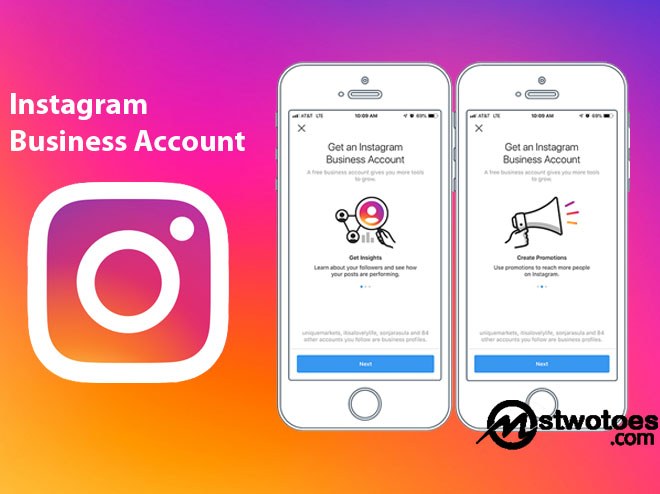
On the contrary, before you can add the Instagram shopping button to your Instagram business account. You must first meet the commerce eligibility requirement and also get your account approved for the Instagram shopping. Plus, you need to use the latest version of the Instagram app to access the Instagram shopping feature. Here are the following steps:

  • Open the latest Instagram app.
  • Go to your profile and click on the three-menu icon.
  • Click on Settings and select Business.
  • Click on Shopping and click Continue.
  • Select a product catalog you want to use to link to your professional account.
  • Finally, click Done.

Keep in mind, if you don’t see the Shopping icon, this means that your account isn’t verified yet or that your account is under review. Initially, the process for your account to receive approval for Instagram shopping usually take some days.

YouTube Fundraiser – How to Set up a YouTube Fundraiser | YouTube Giving Fundraiser

0

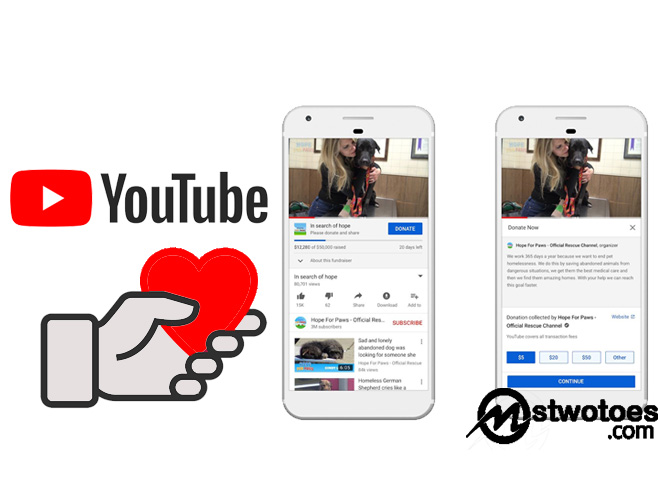
What is YouTube fundraiser and how do I get started with YouTube fundraisers? In this article, you can learn the simplest form on how to create a fundraiser on YouTube. On the contrary, this seems to be a new feature on YouTube whereby people can donate funds to different causes. This is actually similar to the likes of PayPal fundraisers and also Facebook fundraiser. But unfortunately, this is not a new feature, it was released in 2018 and the feature is said to allow creators and fans to contribute to a charitable cause.

YouTube Fundraiser - How to Set up a YouTube Fundraiser | YouTube Giving Fundraiser

Furthermore, YouTube fundraiser is also known as YouTube Giving is a fundraiser tool that allows YouTube creators to create a community in other to supports causes they care about which includes charitable causes. During the release of the YouTube fundraiser includes the beta version and also campaign matching tools. Based on the information provided by the company, creators on YouTube can use their chancel and videos to generate or raise awareness for the cause they care about. Learn the eligibility to make a YouTube fundraiser.

Eligibility Requirement to Set up a YouTube Giving Fundraiser

First of all, only eligible channels that qualify for the requirement for fundraising can raise a fundraise for non-profit organizations. This is by simply adding the donate button to your live streams or videos. Here are the following eligibility requirements for YouTube’s Fundraisers.

  • The YouTube Creator and channel management must be in the United States, the United Kingdom, or Canada.
  • You channel must reach at least 110k subscriber.
  • Also, your chancel must be among the member of the YouTube Partner Program.
  • Lastly, the YouTube channel must not be designated as made for kids.

On the contrary, you might see some fundraising in some channels that isn’t within the eligible country. YouTube is currently planning to expand its fundraising to other parts of the country. But within the following country like United States, United Kingdom, and Canada are the following requirement.

How to Create/Set up a YouTube Giving Fundraiser  

The first stage to set up or make a fundraiser on YouTube is to meet the requirement needed. Already, the requirement is mentioned above. When your channel meets the requirement, you can then set up the YouTube Giving fundraiser.

  • Go to the page https://studio.youtube.com/ on your web browser.
  • Sign in to your YouTube account.
  • Select the option, Monetization, and click Giving.
  • Click Get Started and Create a fundraiser.
  • Next, you can choose the available 501(c)(3) US nonprofit that you want to support.
  • Fill out the following instruction that includes title, description, and collaborators.
  • Next, add a video or you can go on live streams for the donate button to add to the video.

Finally, you can click on Publish once the following step sets. Keep in mind, the donate button will appear on your video watch page, or in the live chat. Hence, viewers can engage by clicking on the donate button.

How to Join an Existing Fundraiser

  • Sign in to the YouTube Studio.
  • Then, from the left menu, you can select the option Monetization>Giving.
  • Click on Get started and click Join a fundraiser.
  • Next, you can select an existing fundraiser from the available once.
  • Add and video or create a time frame for your live streams.
  • Then, click Publish.

The following step’s used to join an existing fundraiser or another creator community fundraiser. However, in terms of managing your fundraising chancel, you can select Giving from the Monetization page to manage your YouTube Giving fundraising.

How to Get Verified on TikTok – Get Verified Badge on TikTok in 2020

0

how to get verified on TikTok, How can I get verified badge on TikTok in 2020 for free? Initially, it’s very difficult to get verified on every social media platform. The only easy way in which you can get verified badge on social networking sites is when you’re popular and also an influential person. Then the verification of your account will be smooth and clean when going through the verification process. However, there are several rules and requirements that you need to pass before you can be verified on Tik Tok. Learn how to get verified badge on TikTok 2020.

How to Get Verified on TikTok - Get Verified Badge on TikTok in 2020

Furthermore, to verify your account on Twitter, Facebook, Instagram, Snapchat, and TikTok usually go through some certain procedures where you need to first complete the eligibility before been verified badge. TikTok appears to be one of the trending social networking sites with the concept of enabling people to create, share, and also watch short entertainment videos. Probably, you’ve noticed the blue checkmark on people you follow either your favorite artist, football team, celebrity, and more. You can find the verification icon or mark displayed next to your handle.

What do Verified Badge Means

You must have seen the blue shaped icon on some social media account such as Facebook, Instagram, Twitter, and others. The verified badge on TikTok is a sign of confirmation, that the owner of the account is legitimate. Meaning, that the Tik Tok account belongs to the rightful owner in which the account represents.  The verified badge is usually found next to the user account name which can also appear in the search result and also on the user’s profile. However, when you don’t see the blue badge on user’s accounts or been displayed on their profile, it means the account isn’t verified. Apparently, only Tik Tok can qualify you for the Tik Tok verified badge which appears on your profile.

Factor that get you Verified on Tik Tok Free

On the contrary, TikTok verified badge is a means of identifying an account as a notable figure. This actually represents that content found on the page is authentic. Above all, it enables a stronger connection among high profile account users and followers. There are several applications you need to know how to get verified on TikTok free.

  • Followers: the many of followers you have actually qualify you for the TikTok verified badge.
  • Active: also, your activeness on your TikTok account determines whether you’re accountable for the verified badge.
  • Constant Post: you need to be regular when posting on TikTok, in other words, you need to post high-quality video content.
  • Research: there are lots of trending video and challenge happening on TikTok, you need to be active with the Tik Tok trending video or challenge.

In summary, the essential factor that actually considered whether you can get a verified badge includes how authentic your account appears, uniqueness, activeness, and also must comply with TikTok Community Guidelines and Terms of Service.