Home Blog Page 75

Shopify Dropshipping – What is Shopify Dropshipping, How to Start

0

What is Shopify dropshipping and how do I get started? According to reports, Shopify is the biggest and top eCommerce store in the world today where you can start a big sale on the internet. Shopify offers you powerful and incredible tools for marketing your business online. Dropshipping with Shopify is one of the dedicated services or products offered by Shopify to start making money online. Generally, Dropshipping also known as Drop Shipping appears as a form of marketing for retail businesses that involves a seller accepting customer orders but doesn’t have the product in-store.  

Shopify Dropshipping - What is Shopify Dropshipping, How to Start

As for Shopify Dropshipping enables sellers to sell products or accept payment for a particular order made by a customer. By using a supplier that has the product in-store and then shipped to you. This serves as an advantage to sellers, whereby you can receive products at a wholesale price from the supplier. But have control over the price of what the customer sees in the Shopify store. For instance, you can buy at a wholesale price and sell at the price which is displayed on your Shopify store. Find out more about Shopify Dropshipping and how to start.

What is Shopify Dropshipping

Shopify Dropshipping is a form of retail business that allows you to sell products without having the product in-store. This allows you to connect with a supplier where you can purchase the item at a wholesale price and sell at the price you place in your Shopify store. Currently, a lot of businesses make use of Dropshipping on Shopify, based on the fact that it’s easy to set up.

The essential factor of why most businesses run a dropshipping business is that products are shipped by the supplier to the customers. Most of the suppliers include manufacturers, warehouses, and more. With the effective tools offered by Shopify, it’s very easy to find suppliers using Oberlo, print-on-demand apps, as well as some reputable dropshipping apps.

How to Start with Dropshipping for Business

Dropshipping is compatible with any particular type of business regardless of the size of the business. By setting up dropshipping, you can sell anything including your daughter’s brand’s merchandise. Or even use it to build a multi-million-dollar business. Although, the same application is used to run the Dropshipping for business. However, to start with Dropshipping on Shopify actually depends on your business goal. As well as, there is a certain factor that allows you to start with dropshipping. Visit the Shopify help center page to find out more information.

How to Change Yahoo Password

0

How can I change my Yahoo Password? There are various ways in which you can change your Yahoo password either on the web or via the mobile app. Hence, in this article, we will show you the procedure on how to change password in Yahoo Mail. In the meantime, the Yahoo password serves as a unique set of identification that allows authorization to your Yahoo email account. Your Yahoo password is meant to be secret and some people expose their password. Therefore, leading to hacking for your email account. Whatever reason you need to change your password, you can find solutions on this platform.

How to Change Yahoo Password

Yahoo Password serves as a security measure and one of your Yahoo Mail login IDs that allows you to log in to your email account. Also, your Yahoo password gives you access to your email account and every other Yahoo service into which your Yahoo Mail account is signed. When your forgotten your password or provide the wrong password in accessing your Yahoo mail account, this actually prevents access into your account. Changing the Yahoo password might require certain information that includes your recovery email and your old password.

How to Change Yahoo Password

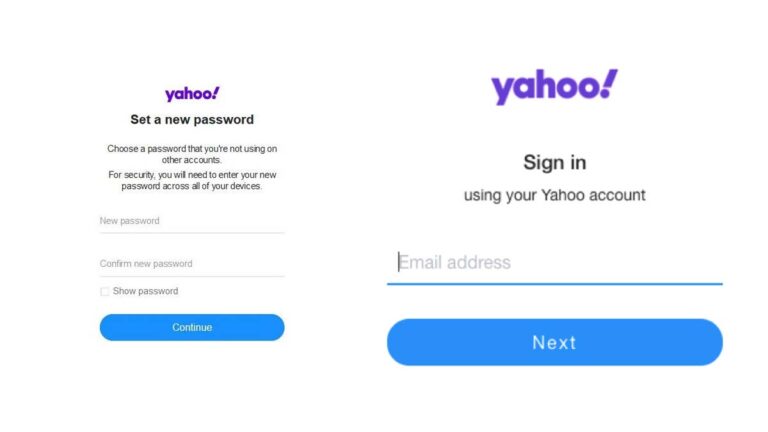
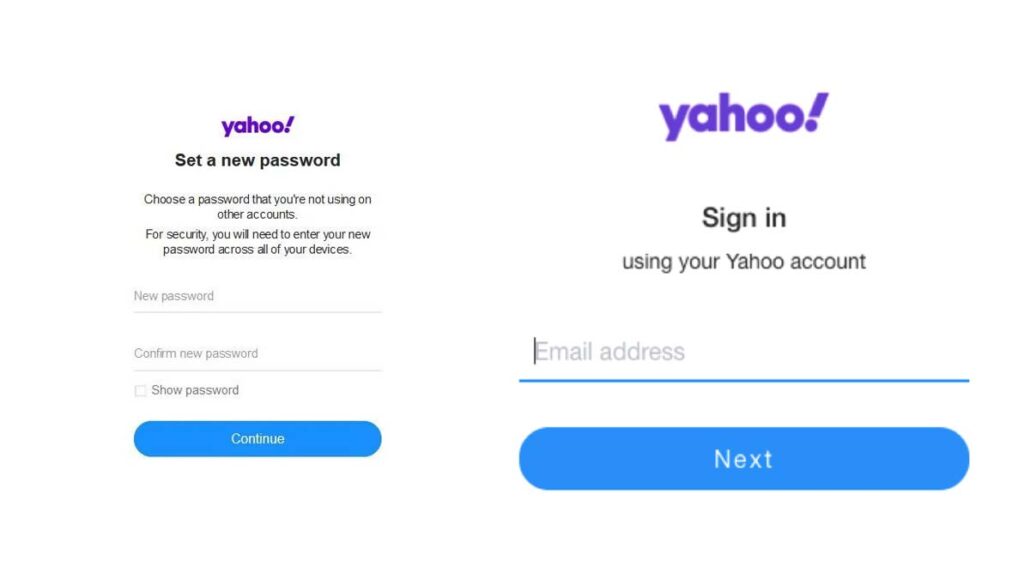
Just like I stated earlier, there are different ways on how to change password in Yahoo Mail. You can use the Sign-in Helper, on the desktop or via the mobile app. Keep in mind, the changing of your Yahoo password depends on two factors “forgotten password” or “changing on your account”. Here is the following step:

Forgotten Password:

  • Visit the Sign-in Helper page on your web browser.
  • Enter your recover email address or phone number.
  • Then, click Continue.
  • Enter the code or click on the link send to your recovery email/phone.
  • Create an new password.

Change Password:

On Desktop:

  • Visit the Yahoo Login page.
  • Enter your username, email or mobile.
  • Click Next.
  • Enter your password.
  • Click Sign in.
  • Access your Yahoo account security page.
  • Select the option Change Password
  • Create a new password.
  • Then, click Continue.

On Mobile App

  • Open the Yahoo Mail app.
  • Select the option Manage Accounts.
  • Select Account Info and click Security Settings.
  • Provide a security code.
  • Select the option Change password and click I would rather change my password.

Afterward, you can create a strong and unique password in which would be easy to remember but difficult for others to guess. Finally, you can click Continue in other to confirm the change on your Yahoo password.

How to Secure Yahoo Password

In case you’re worried about the security and safety of important documents on your Yahoo Mail account. Securing your account is important and one of the factors in which leads to email account loss has to do with exposing your password or creating a simple password. Here are tips on how to secure your Yahoo password:

  • Create a strong password that includes sequence of characters in which you can remember.
  • If your password is difficult to remember, you can write down in a safe and secure note.
  • To implement extra security on your Yahoo Mail account, you can enable the two-factor authentication.
  • Keep tab of your activities on your email account by viewing the login histories.
  • Also, keep tab of your recovery information to ensure no change that you don’t know isn’t made.

These are the following tips you implement not only to secure your Yahoo password but also to help secure your Yahoo email account. Plus, you should change your password every 2 months to mock any entry on your account.

Amazon Jobs Near Me – Find Jobs at amazon.jobs

0

How do I find Amazon Jobs near me? Amazon is known as one of the most popular and valuable retailers in the whole world. With over 20,000 physical stores, the company offers the best products you can ever ask for. Not only does it provide physical stores, but it also has online stores that make it easy for customers to get items in their comfort zone.

Amazon Jobs Near Me

Furthermore, the company offers incredible job opportunities to residents and citizens of different countries. As a big company it is, it provides the best way for applicants to find Amazon jobs near them. Amazon offers the best online tools for you to locate employment in the company. In fact, you can find jobs within 30 miles without any form of stress.

Currently, you can apply for roles like store associates, fulfillment center workers, delivery drivers, and more at the company. All you just need is a good internet connection and the websites and you are good to go. Visit hiring.amazon.com for shift and hourly jobs and www.amazon.jobs for full-time jobs.

Amazon Jobs Available Near Me

Fortunately, Amazon provided two websites to make it very easy for people to search for seasonal, full time or part-time jobs. Below are some of the jobs available at amazon.jobs or hiring.amazon.com.

  • Air Associate
  • Territory Manager
  • Construction Planner
  • Senior Project Control Engineer
  • Amazon Fresh Grocery Associate
  • Maintenance Area Manager
  • Compliance Manager
  • Delivery station
  • Customers Service Representative
  • Fulfillment center Warehouse Associate
  • Technical Program Manager
  • RME coordinator
  • Technical Data Analyst, Books
  • SLP Coordinator INSLP
  • Advertising Account Manager
  • Proposal Writer/Editor
  • Head of Measurement
  • Demand Generation Rep
  • Inside Sales Manager
  • Deal Coordinator
  • Customer Enablement Specialist
  • Inside Sales Rep- Public Sector
  • Delivery Drivers
  • Operations Manager

Visit Amazon.job or hiring.amazon.com to check out more job opportunities. You can also check the website for the type of Job, requirements needed, salary, job duration, and more.

How can I find Amazon jobs near me?

Just as I have said above, you can search for available jobs using any of the two available websites. The website has a search that can help you locate different roles easily. For the hiring.amazon.com website, you can filter the search using length, location, or work hours to get more results.

While on platform,, you can filter your search using Job Category, Job type, team, or Country Just so you know, are lots of jobs available on these websites, so you will definitely find one near you. In addition, you can check popular job websites like Jooble.org, indeed.com, LinkedIn, and Simplyhired for more jobs near me.

How to Apply for Amazon Jobs near me

To apply for Amazon Jobs near you on the websites as mentioned earlier, you are required to create an account. This account will allow you to access and apply for jobs on this website. Keep in mind that, you must know everything about this job before you can apply such as Requirements, qualifications, location, role, salary, and more. If you know these, here are the steps to apply for Amazon Jobs near you;

  • Grab your computer or mobile device and launch the web browser
  • Search for www.amazon.jobs or hiring.amazon.com using the search engine.
  • Search for the available jobs using the features on the website
  • After that, browse through the search results and click on one of your choices
  • On the following page, click on the “Apply” or “Apply Now” option
  • You will be taken to another website page
  • Read through the description on the page and click on “I Agree.”
  • If you don’t have an account yet, just go ahead and create one
  • After that, click on “Next”
  • Enter the information required for the job into the blank provided space.
  • Now, click on “Submit”
  • Follow the on-screen instruction to complete the application for the job.

If you are eligible for the job, the company will contact you and you will be scheduled for an interview. If everything goes well at the Amazon interview, you will get the job.

How to Remove Music in Discord

0

Over the past years, discord has changed tremendously compared to the old times. It has changed from a platform where games are played only. Not only can play games, but you can also enjoy music, invite friends, and many more. If you are checking the internet on “How can I remove music on discord’ and you have not to find the right answer. You don’t need to worry because you are not asking the wrong question.

How to Remove Music in Discord

In this article, we will provide some details that will be of great help when removing music from discord. Follow this article to the very end to get enlightened and also learn how to easily remove music in discord.

How can I remove music on discord?

Just so you know, removing music from discord is very easy and straightforward. In fact, there are not many steps and processes to follow. Here are the step-by-step instructions you need to delete or remove music from the play queue;

  • The first thing you need to do is go to discord and click on the option “Now playing.” So that the platform will know what it will delete later.
  • You have to click on the “Queue representation” Immediately. It is placed in a place that is very easy to locate
  • Click on the pencil representation to go to create mode
  • Now, click the tracks you wish to remove or delete
  • Finally. Click on the representation of suppress.

With the above steps, you can remove or delete music from discord anytime you want. You can check the internet for more easy steps to remove music from discord

How to Decrease the Volume of Music on discord

After checking out how to remove music on discord, let’s check how you can easily decrease the volume of music on the platform, check out the steps below;

  • The first thing you need to do is find the bots in the discord app
  • Press click immediately and decrease the volume of music in the discord app.
  • Once you have control of the music, you can now listen to songs quietly and also follow meetings in a very quiet and lovely way

Note; we advise that you do this with all the bots on your list and this way you can listen to music quietly and avoid being surprised.

How do I activate the music bot in Discord?

To activate the music bot in discord, you will have to log on to the server where you have permission. After that, visit the bot’s website, select “Add to discord then, “Authorize.”. Fill in the captcha to show that you are not a robot. Follow the on-screen instructions to complete the activate bot in the discord process.

How do I delete a bot on Discord?

Just log in to your Discord account and choose the server you want. Right-click on the name of the bot in the voice section or text section. Now, you will see an option of kicking. Click on this option and the bot will be kicked from your server automatically

How to Change Phone Number in Gmail

0

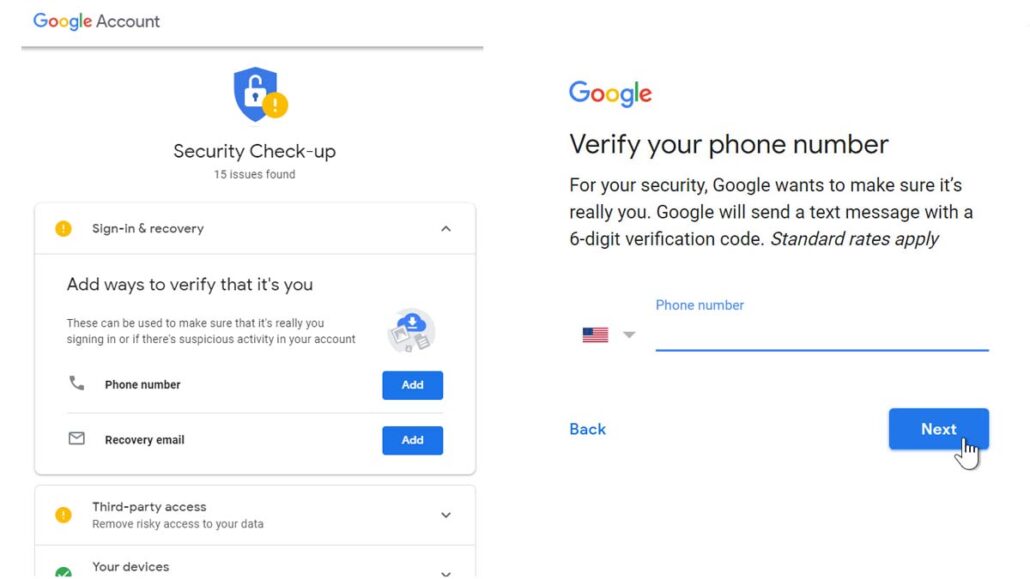
How can I change my phone number in Gmail? In case you added your phone number to your Gmail account and you don’t have access to the phone number anymore. In this article, I will show you the necessary step on how to change phone numbers in Gmail. However, Gmail or Google makes use of your phone number to receive a verification code in other to verify your account. Also, the phone number is usually associated with your email account for security purposes.

How to Change Phone Number in Gmail

Furthermore, the process based on how to change mobile numbers on Gmail is required when you don’t have or no longer use the phone number again. Based on the fact that the phone number connected to your Gmail account allows you to try another option when resetting your password or recovering your account if locked out. Also, this allows you to provide or authenticate access to your email account based on the two-step login.

Step How to Change my Gmail Phone Number

There are two ways used in authenticating access or recovering a Gmail account. Either with the use of another email address or with your phone number as an alternative recovery method. In case you want to change your phone number in Gmail, you need to go through the google account.

  1. Open a well-secure web browser and sign in to your email account on this link www.gmail.com.
  2. Next, click on the profile photo icon at the top right corner of the page.
  3. Then, select the option, Manage your Google Account.
  4. Also, select Personal info in the menu section.
  5. Click Contact Infor and select the option Phone.
  6. Next, you can click on the current number and the Pencil icon to edit.

However, you will be prompted to sign in with your account password; from there, you can change or update your phone number. Remember, changing the phone number also changes your recovery phone number.

How to Update Mobile Number in Gmail App

Another, platform to access the procedures on how to change mobile number in a Gmail account is through the Gmail mobile app. Moreover, the process on how to change the mobile number in a Gmail account is similar to the change on the PC.

  1. Hence, Open the Gmail app and sign in to your Google mail account.
  2. Then, click on the menu button displayed as the three-horizontal lines.
  3. Scroll down and select Settings.
  4. In the setting screen, you can click the option ” Gmail address”.
  5. Then, select Manage your Google Account and click on Personal Info
  6. Also, click on the phone and click the Edit icon (the pencil icon).

In summary, you can follow the instruction to change and update your phone number. Also, this process allows you to perform the procedures on how to remove phone numbers in Gmail on the Gmail mobile app and the Gmail web. There is another exciting aspect of the Gmail phone number.

How to Recover Gmail Account without a Phone Number

The following steps on how to change phone numbers in Gmail allow you to update, change edit, add, and remove your phone numbers on your mobile devices and desktop. The Gmail phone number you actually use to recover the Gmail account. but when you don’t have your phone number for the verification of your email account. another option you can use is the Gmail account recovery email address. However, you can use your recovery email as your Google account recovery is your phone number is lost. Use the following step to recover the Gmail account without a phone number.

  1. First of all, log in to your Google account on the web.
  2. Next, you can enter your email address and the wrong password.
  3. Then, you will receive an alert, and an incorrect password.
  4. Just, click Forgot password or More ways to sign in.
  5. Next, select “Forgot password” and enter the last letter of your password.
  6. Click I don’t have my phone number and you can provide a recovery email address.

 Afterward, Google will send you a verification or the recovery Gmail account password. Enter the verification code and change your Gmail password. Later on, you can go back to add or update or change to a new phone number on your email account. In summary, the Gmail phone number setting allows you to change, update, and remove phone numbers on your Google email account, with a verification code sent to your mobile device.

Freedom Debt Relief Login – How to Manage Freedom Debt Relief Dashboard

0

How can I manage my Freedom Debt Relief account or how can I access the Freedom Debt Relief portal? In this article, you can learn the simple procedure to access and manage the Freedom Debt Relief dashboard. As we all know, Freedom Debt Relief is a debt settlement company that helps customers to lower their debt payments. If your debt is at least $7,500 or over and you don’t have an option to pay off your debt. You can consider using a debt settlement account and this provides you with an account where you can manage your account online. Learn more about Freedom Debt Relief login.

Freedom Debt Relief Login - How to Manage Freedom Debt Relief Dashboard | Fdrclient

Freedom Debt Relief login commonly referred to as Freedom Debt Relief dashboard sign in is an authenticated page where you can access and manage your account. When you log in to your account, this offers you powerful insight tools where you can find solutions on how you can repay your debt without bankruptcy and more. To access the client dashboard login, you need to provide a valid email address and password to sign in to the client dashboard. Check out the procedure on how to access the Freedom Debt Relief dashboard sign in to access your account.

Access to Freedom Debt Relief Dashboard Sign in

To access the Freedom Debt Relief dashboard, you can use the online process where you can access the Freedom Debt Relief client portal login page where you can manage your account. Therefore, follow this instruction below to access your account.

  • Go to www.freedomdebtrelief.com on your web browser.
  • Then the top right corner of the page, click on Client Dashboard.
  • This will direct you to the FDR dashboard login portal.
  • On the client dashboard login page, enter your email address and password.
  • Finally, click Client Login.

That’s all you need to sign in to your FDR client dashboard page. However, if you want to activate your client dashboard, you can click on Activate Your Client Dashboard Now and follow the instruction for activation online.

How to Recover FDR Client Password

For customers unable to sign in to their FDR Client Dashboard due to the wrong password, you can recover your password through this procedure. Just follow the instruction below to reset your password to be able to sign in to your account.

  • On the Freedom Debt Relief Dashboard login page.
  • Select the option Forgot password?
  • Enter your email address linked to your account.
  • Then, click Reset Password.

The instruction on ways you’ll complete the recovery of your password to your Freedom Debt Relief account will be displayed on the screen for you to follow.