Home Blog Page 12

Accredited Online Colleges that Accept FAFSA

0

Does accredited online colleges that accept FAFSA? Yes, there are accredited online colleges that accept FAFSA. If you’re trying to juggle work, bills, maybe even kids, then finding a school that offers online classes and helps you tap into federal financial aid is a game-changer.

Accredited Online Colleges that Accept FAFSA

We’re going to dive deep into what FAFSA is, how it works for online colleges, how to apply, and even where you should consider applying. If saving money and going to a reputable school matter to you, stick around.

What is FAFSA and Why It Matters

FAFSA stands for Free Application for Federal Student Aid. It’s the golden ticket that unlocks thousands sometimes tens of thousands of dollars in grants, loans, and work-study opportunities. But here’s the kicker: it’s only useful if the school you’re attending is eligible.

Think of FAFSA like a funnel. You pour your personal and financial information in one end, and out the other comes a customized list of federal (and sometimes state) aid you’re eligible for. That’s how you are able to get a Pell Grant and some subsidized loans.

Here’s a quick breakdown of what you might get from filling it out:

  • Grants: Free money (you don’t pay this back).
  • Loans: Borrowed money (but usually at a lower interest rate).
  • Work-study: Campus or remote jobs that help pay your tuition.

And it’s not just for broke students, either. Even if you think your income disqualifies you, fill it out anyway. Many schools use FAFSA data to award their scholarships and aid.

Why Every Online Student Should Care About FAFSA?

If you’re taking classes online and think financial aid isn’t for you, think again. FAFSA isn’t just for traditional college students who live in dorms. It’s for everyone, as long as the program is accredited and the school participates in federal aid programs.

Whether you’re aiming for an associate degree, a bachelor’s, or even a graduate program, FAFSA can help reduce the cost. And with tuition prices climbing like rent in a big city, every dollar counts.

Do Online Colleges Accept FAFSA?

Online vs. On-Campus FAFSA Eligibility

You might be wondering, “Do online schools accept FAFSA like regular colleges?” Yes, many of them do, but there’s a catch. Not every online college is created equal. Some are accredited and backed by the government. Others are diploma mills that will gladly take your money and leave you hanging.

When FAFSA evaluates schools, it doesn’t care whether the classes are online or in-person. What matters is whether the school is accredited and participates in Title IV federal student aid programs. If they don’t, you’re out of luck.

That’s why doing your homework on a school’s accreditation status is just as important as choosing your major.

The Types of Online Programs That Qualify for FAFSA

Not every online course qualifies for aid. You’ve got to be enrolled in a degree-granting program, think associate’s, bachelor’s, or graduate degrees. A few non-degree certificate programs might qualify, but those are rare.

Based on experience, the safest route is to look for schools that offer full programs online, not just a few courses. Those are the ones most likely to qualify for full federal financial aid.

Here are some examples of eligible programs:

  • Online Associate Degrees in Nursing, Business, or Criminal Justice
  • Online Bachelor’s Degrees in Education, Psychology, or IT
  • Online Master’s Degrees in Social Work, Healthcare, or Engineering

If you’re enrolled full-time or half-time in a degree program at an accredited online school, there’s a good chance FAFSA is available to you.

How to Know if an Online College Accepts FAFSA

Check Accreditation First

This is huge. Accreditation is what separates the legit colleges from the scams. If a college isn’t accredited by a recognized agency, your FAFSA application is useless.

There are two main types of accreditations:

  • Regional Accreditation: This is the gold standard. Think of it as the Ivy League of legitimacy.
  • National Accreditation: Still valid, especially for vocational or technical schools, but not always transferable.

To find out if your school is accredited, head over to the U.S. Department of Education’s Database. You can search by name and get the full scoop.

When choosing between two online schools, the deciding factor should be accreditation. One didn’t have it. End of story.

Confirm Eligibility on the School’s Financial Aid Page

Even if a school is accredited, make sure they actually accept FAFSA. There are some schools that don’t participate in federal aid programs, even if they could.

Every school that accepts FAFSA has a Federal School Code, a unique ID you plug into your application. No code, no aid. It’s that simple.

You can usually find this code on the financial aid section of the college’s website. If it’s not there, call or email the admissions office directly. Don’t assume anything.

Features of Accredited Online Colleges that Accept FAFSA

National vs. Regional Accreditation

Choosing between nationally and regionally accredited online schools can impact your future especially if you plan to transfer credits or pursue grad school.

  • Regional Accreditation is more widely accepted. These schools are typically non-profit and academically rigorous.
  • National Accreditation is common among for-profit schools and career colleges. While still valid, it might limit your transfer options.

If you’re going to invest your time and money, aim for regional accreditation. That’s what you can do, and it can make all the difference when you decided to transfer later.

Federal School Code and FAFSA Integration

Every school that accepts FAFSA will proudly share its Federal School Code. This number links your FAFSA application to the right institution.

When applying, you can list up to 20 schools. Even if you’re undecided, add a few options. You can always remove them later.

Having that school code makes it super easy for the FAFSA system to direct your aid package to the right place. Without it, your application might as well be floating in the wind.

Step-by-Step Guide to Applying FAFSA for Online Colleges

Gather Your Information

Filling out the FAFSA might seem intimidating, but trust me, once you break it down, it’s not that bad. The first thing you need to do is gather your personal and financial information. It’s like getting your tools ready before fixing something, you want everything in one place to make the process smoother.

Here’s what you’ll typically need:

  • Your Social Security Number
  • Your Driver’s License Number (if you have one)
  • Federal tax information or tax returns (your own or your parents’, depending on dependency status)
  • Records of untaxed income
  • Information on cash, savings, and investments
  • The Federal School Codes of the online colleges you’re interested in

Fill Out the Application

Once you’ve got all your info ready, head over to FAFSA.gov. If it’s your first time applying, you’ll need to create an FSA ID. This is your username and password that you’ll use every year to apply.

The application itself takes around 30–60 minutes. It walks you through a series of questions about your financial situation, family size, school interests, and more.

You’ll also be asked to list schools where you want your FAFSA information sent. Like I mentioned earlier, you can choose up to 20. Don’t be shy about listing them, this doesn’t lock you into anything.

Use the IRS Data Retrieval Tool (DRT) when possible. It automatically imports your tax info into the FAFSA form, which means fewer errors and less stress.

Select Your School and Submit

The last step is selecting the online colleges you’re interested in and submitting the form. Double-check everything before hitting that submit button, it’s worth the extra few minutes.

After submission, you’ll get a Student Aid Report (SAR) summarizing the info you provided. Review it carefully. If anything looks off, you can go back and correct it.

Your chosen schools will use your FAFSA data to figure out how much aid you’re eligible for. They’ll send you an award letter, typically via email or their student portal.

This is where the real excitement kicks in, you’ll see exactly how much “free money” and loans you’ve qualified for. Trust me, that email is like opening a present on your birthday.

Top Accredited Online Colleges that Accept FAFSA

Real online schools that accept FAFSA and are fully accredited. I’ve personally researched these options, and they’re known not just for affordability, but also for flexibility and support.

Southern New Hampshire University (SNHU)

SNHU is one of the most recognized online colleges in the U.S., and yes, it accepts FAFSA. They offer over 200 career-focused degrees and certificate programs. Whether you’re diving into business, psychology, or nursing, SNHU has a fully online option.

  • Type: Nonprofit, Regionally Accredited
  • Programs: Associate, Bachelor’s, Master’s
  • Highlights: 24/7 support, rolling admissions, low tuition

What I love most about SNHU is how adult-student-friendly it is. Many of their courses are self-paced, and you can even earn credit for prior learning or work experience.

Purdue University Global

This is Purdue’s fully online branch, and it’s just as legit as its traditional counterpart. They offer online degrees tailored for working adults and military personnel.

  • Type: Public, Regionally Accredited
  • Programs: From certificates to master’s degrees
  • Highlights: Competency-based programs, military-friendly, FAFSA-approved

Purdue Global was on my shortlist, and I really appreciated how transparent they were about costs and financial aid. They also offer a free trial class, no strings attached.

University of Florida Online

UF Online is a powerhouse. It brings the same academic reputation of the University of Florida to your laptop. All their online programs are eligible for FAFSA.

  • Type: Public, Regionally Accredited
  • Programs: Business, Education, Nursing, Liberal Arts
  • Highlights: Highly ranked, top-tier faculty, affordable tuition

If you’re looking for a balance between prestige and practicality, UF Online hits the sweet spot.

Arizona State University (ASU) Online

ASU is famous for innovation and online learning. Their online programs are just as rigorous as their on-campus ones, and yes, you can use FAFSA.

  • Type: Public, Regionally Accredited
  • Programs: Over 200 degree options
  • Highlights: Career services, global faculty, strong alumni network

ASU is amazing because of the huge range of degree options. It’s perfect if you’re not quite sure what you want to major in yet.

Liberty University Online

Liberty is a private Christian university offering flexible, online learning that’s also eligible for federal financial aid.

  • Type: Private, Nonprofit, Regionally Accredited
  • Programs: Wide variety, including theology, education, criminal justice
  • Highlights: 8-week terms, generous transfer credit policy, military tuition discounts

This is a great option if you want a faith-based education combined with financial flexibility.

Pros and Cons of Using FAFSA for Online Colleges

The Perks You Should Know About

Using FAFSA for your online college education opens up a lot of financial doors. Here are a few big benefits I’ve seen:

  • Lower Out-of-Pocket Costs: FAFSA can drastically reduce what you owe each semester. Grants like the Pell Grant are money you don’t have to repay.
  • Better Loan Options: Federal loans have lower interest rates and better repayment terms than private loans.
  • Access to Work-Study: Even online students may qualify for remote or part-time work-study jobs.
  • More College Options: Having financial aid allows you to consider better, often pricier, schools without crushing debt.

What to Watch Out For

It’s not all sunshine and rainbows, though. There are a few downsides and gotchas you need to be aware of:

  • Eligibility Requirements: Not everyone qualifies for the same amount of aid. Factors like your income, age, and dependency status matter.
  • Loan Repayment: Yes, loans help, but they still need to be paid back, often with interest.
  • School Quality Varies: Just because a school accepts FAFSA doesn’t mean it’s a great school. Always vet the program first.
  • Limited Funding: Some grants run out early in the cycle, so applying late might mean less money.

FAFSA Deadlines and Timelines You Can’t Miss

Federal vs. State vs. College Deadlines

Deadlines are everything when it comes to FAFSA. Seriously, miss one, and you could miss out on thousands of dollars in aid. So, let’s break it down.

  • Federal Deadline: This is the big one, usually around June 30th of the academic year you’re applying for. But don’t wait until then. Most of the good money (especially grants) is long gone by that point.
  • State Deadline: Each state has its own deadline, often months earlier than the federal one. For example, California’s deadline is usually March 2nd, while others like Texas might give you more wiggle room.
  • College Deadline: Colleges can have even earlier deadlines, especially if you’re applying for school-specific aid or scholarships.

Always aim to complete your FAFSA in October, as soon as the new application opens. That way, you’re first in line.

How Early Should You Apply?

Short answer: ASAP. The FAFSA application opens on October 1st each year for the following academic year. The earlier you apply, the better your chances of getting more free money.

Early birds often get:

  • Priority for state grants
  • Quicker award letters
  • Access to limited funds like campus-based aid

Keep an eye on your email too. FAFSA will send you reminders, and schools will reach out with deadlines. Put it in your phone, stick a note on the fridge, whatever it takes.

Grants, Loans, and Scholarships Available Through FAFSA

Federal Pell Grant

This is the granddaddy of all grants. It’s free money you don’t have to repay, and it’s only available through FAFSA.

To qualify, you need:

  • Demonstrated financial need
  • Enrollment in an eligible undergraduate program
  • No prior bachelor’s degree

The maximum Pell Grant for 2025 is over $7,000, and trust me, that can take a big chunk out of your tuition.

Federal Student Loans

FAFSA gives you access to two main types of federal loans:

  • Subsidized Loans: The government pays your interest while you’re in school. These are based on financial need.
  • Unsubsidized Loans: Available to most students, regardless of financial need. Interest starts building right away.

These loans usually have lower interest rates and more flexible repayment options compared to private loans. You can also pause payments through deferment or forbearance if you hit a rough patch.

If you’re like me and don’t want to drown in debt, only borrow what you absolutely need. Just because they offer you $10,000 doesn’t mean you should take it all.

Work-Study Programs

Work-study is another gem unlocked through FAFSA. It allows you to work part-time, sometimes even remotely, to earn money for school expenses.

The best part? These jobs are often flexible and student-friendly. Some let you work in your field of study, giving you a leg up when you graduate.

Common Mistakes When Using FAFSA for Online Schools

Entering the Wrong School Code

One of the easiest and costliest mistakes is entering the wrong school code. Each college has a unique Federal School Code, and if you mix it up, your aid offer could go to the wrong place or not arrive at all.

Double-check the code on the school’s official financial aid page or use the FAFSA School Code Search Tool.

Missing the Deadline

Don’t miss the deadline. Financial aid is first come, first served. The later you apply, the smaller your aid package might be.

Set calendar reminders, use FAFSA’s SMS alerts, do whatever it takes. Being even one day late can mean the difference between a grant and a loan.

Failing to Check Accreditation

Some online schools look shiny on the surface but don’t meet federal standards. If they’re not accredited, your FAFSA won’t go through.

Make sure the school is listed in the U.S. Department of Education’s database. And don’t rely solely on what the college says, double-check it yourself.

Alternatives if Your School Doesn’t Accept FAFSA

Private Loans

If you fall in love with a program that doesn’t accept FAFSA, your main fallback is private student loans. These are offered by banks, credit unions, and online lenders.

But here’s the deal, they usually come with higher interest rates and less flexible terms. You’ll need a decent credit score or a co-signer. Shop around and compare.

Employer Tuition Reimbursement

Many employers offer to pay for part or all of your education if it aligns with your job role. This is a gold mine that too many people overlook.

Talk to HR or check your employee handbook. You might be surprised by what’s available, especially in fields like healthcare, IT, or business.

Scholarships and Grants from Other Sources

Not all financial aid flows through FAFSA. You can also find:

  • Private scholarships (check sites like Fastweb, Cappex, and Scholarships.com)
  • Community grants (local foundations, nonprofits, and religious groups)
  • School-specific awards not tied to federal aid

FAQs

Which online schools accept FAFSA?

Many accredited online schools accept FAFSA, including Southern New Hampshire University, Purdue University Global, Liberty University Online, University of Florida Online, and Arizona State University. Always check the school’s financial aid page for confirmation and a valid Federal School Code.

Do online schools accept federal financial aid?

Yes, as long as the school is accredited and participates in federal student aid programs. Most public universities and nonprofit private colleges with online programs do.

Are online courses eligible for FAFSA funding?

Yes, if the course is part of a degree-granting program at an eligible institution. Standalone or non-credit courses typically do not qualify.

Can I use FAFSA funding for college tuition?

Absolutely. FAFSA funding can cover tuition, fees, books, supplies, and even some living expenses depending on your financial need and eligibility.

Does a school accept FAFSA?

To find out, check if the school is accredited and listed in the U.S. Department of Education database. Look for a Federal School Code on their website or call the financial aid office.

How do I find a school that accepts FAFSA?

Start with the FAFSA website’s school code search tool or use the Department of Education’s database of accredited institutions. Focus on schools with regional accreditation and online programs in your field of interest.

Conclusion

Yes, accredited online colleges that accept FAFSA are 100% worth it if you want a flexible, affordable path to higher education.

They offer the freedom to learn from anywhere, the credibility of proper accreditation, and access to federal financial aid that could make all the difference.

And if you’re still on the fence, here’s what I’ll say: start with the FAFSA. It costs you nothing to apply, but it could save you thousands. Then, choose an accredited online school that fits your goals, budget, and lifestyle.
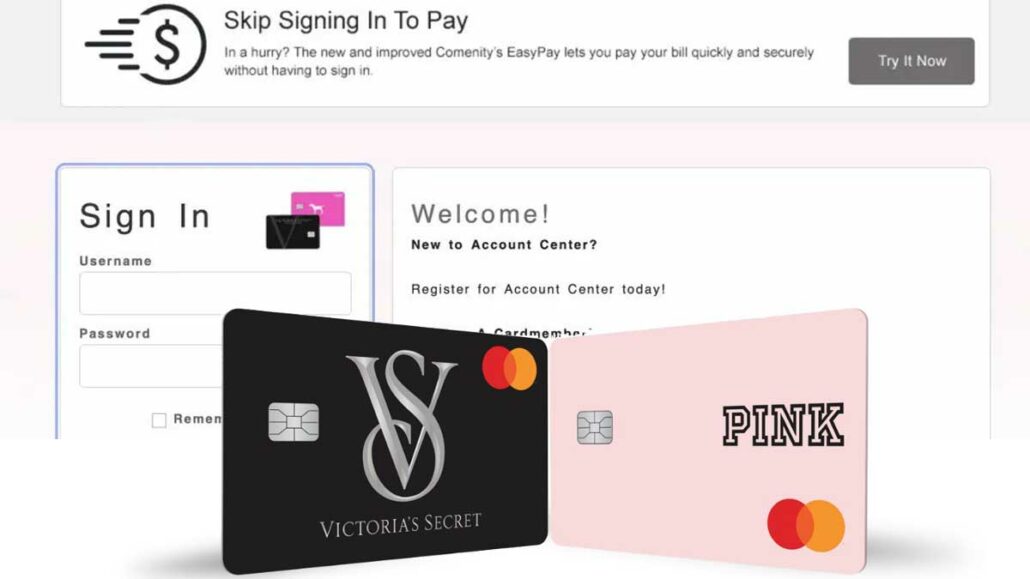
Victoria’s Secret Credit Card Login – Manage Your Account

0

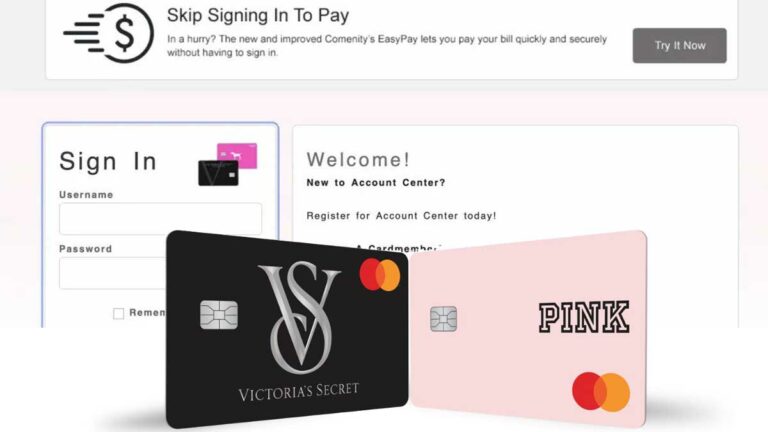
If you’ve ever shopped at Victoria’s Secret or PINK and thought, “Wouldn’t it be great to get rewarded for spending here?” Then you’re probably familiar with the Victoria’s Secret credit card login. This little piece of plastic (or digital card) gives you more than just access to lingerie and beauty products. It gives you exclusive perks, bonus rewards, and a dedicated online portal to manage it all with just a few clicks.

Keeping up with payments, tracking rewards, and knowing your balance can get a bit overwhelming. That’s where the Victoria’s Secret credit card login portal comes in handy. It’s designed for people like me and you who prefer managing things on the go whether that’s from your couch or your phone while in line at the store.

Victoria’s Secret Credit Card Login online portal, powered by Comenity Bank, lets you do everything from checking your balance to making payments to updating your profile. It’s like a command center for your card. But what I love most? It’s simple. You don’t have to be a tech wizard to use it. Whether you’re logging in for the first time or you’re a regular shopper trying to redeem rewards, this portal is built to make your experience smooth and straightforward.

Why You Should Use the Online Login Portal

If you’re wondering, “Why not just handle everything in-store or over the phone?” Been there, thought that. But once you start using the Victoria’s Secret credit card login portal, you’ll realize it’s so much more convenient than the old-school way of managing your card.

Convenience at Your Fingertips

If you don’t always have time to call customer service or stop by a store. And honestly, who does? The online portal makes it easy to log in from anywhere, anytime. Whether it’s 2 p.m. on a Tuesday or midnight on a Sunday, you can hop in and check my account details within seconds. You can use it to make a payment while standing in line for coffee and once even scheduled a payment while stuck in traffic.

Everything You Can Do After Logging In

Once you’re in, the options are endless:

  • Check your balance to see how much you’ve spent
  • View your available credit
  • Schedule payments or pay off your balance in full
  • Set up autopay, so you never miss a due date
  • Download past statements
  • Track your rewards points and see how close you are to your next perk
  • Update personal information like your mailing address or phone number

It’s like your one-stop shop for all things related to your Victoria’s Secret card. And let’s not forget, the layout is intuitive. You don’t have to dig through tabs to find what you need. Everything is labeled clearly and organized neatly, which makes life a whole lot easier.

Stay in Control of Your Finances

By regularly logging in, you can stay on top of your spending. I log in every couple of days just to make sure I’m not going overboard. It also helps me spot any unauthorized activity early on. And if you ever notice something off, you can report it directly through the site. That’s peace of mind right there.

Step-by-Step Guide to Access Victoria’s Secret Credit Card Login

How do you actually log in? I’ll walk you through it like I would explain it to a friend.

Step 1 – Visit the Official Login Page

First things first, you need to go to the right place. The login page is hosted by Comenity Bank, the issuer of the Victoria’s Secret credit card. Here’s how you can find it:

  1. Open your browser (Chrome, Safari, Firefox—whatever you like).
  2. Type in: www.comenity.net/victoriassecret
  3. Hit Enter.

You’re there. You’ll see two empty fields on the right: one for your Username and one for your Password.

Step 2 – Enter Your Credentials

Go ahead and plug in your username and password. If it’s your first time logging in, you’ll need to register (more on that in the next section). If you’ve already registered, just log in like usual.

Tips to remember:

  • Make sure Caps Lock is off
  • Don’t save passwords on public computers
  • Use a secure Wi-Fi network

Step 3 – Troubleshooting Login Issues

If you hit a snag maybe the page doesn’t load or your password isn’t working—don’t panic. Here’s what you can try:

  • Clear your browser cache: Sometimes, old cookies cause problems.
  • Try a different browser: Chrome not working? Switch to Firefox or Safari.
  • Click “Forgot Username/Password” if you can’t remember your login.
  • Check your email: If your account was locked due to too many failed attempts, you’ll get a message from Comenity with the next steps.

If you’ve been locked out before (more than once, actually), their recovery process is simple. You’ll be back in your account within minutes.

Registering for Online Access – Create Your Account

Now, if you’ve just received your Victoria’s Secret credit card, the first thing you need to do is register for online access. Don’t worry, it only takes about five minutes, and you’ll thank yourself later.

Step-by-Step to Register

  1. Head to the login page: www.comenity.net/victoriassecret
  2. Click the “Register for Online Access” link below the login form.
  3. You’ll be asked to enter the following:
  4. Your credit card account number
  5. ZIP code
  6. The last 4 digits of your Social Security Number
  7. Your email address
  8. Create a username and password
  9. Set up your security questions
  10. Agree to the terms and conditions
  11. Click Submit

Just like that, you’ve got access. You’ll now be able to use your login details to enter the portal anytime.

Verifying Your Identity

Comenity takes your security seriously. During registration, you might have to verify your identity via email or text. They may send you a one-time passcode (OTP) that you’ll enter to complete the setup. It’s quick and gives you added security.

Forgot Your Password or Username? Here’s What to Do

We’ve all been there, too many passwords to remember, and you’re locked out. It happens to the best of us. Thankfully, recovering your Victoria’s Secret credit card login info is easy.

Reset Your Password

  1. Go to the login page
  2. Click “Forgot Password?”
  3. Enter your username and last 4 digits of your SSN
  4. Follow the prompts to reset your password via email or text
  5. Create a new password that’s strong but easy for you to remember. Avoid using names or birthdays—hackers love those.

Recover Your Username

If you forgot your username:

  1. Click “Forgot Username?”
  2. Provide your account number, ZIP code, and SSN
  3. You’ll get your username sent to your registered email

Understanding Your Account Dashboard After Login

Once you’ve completed your Victoria’s Secret credit card login, you’re taken to the account dashboard, a digital command center for your card. And honestly, it’s more intuitive than you might expect.

What You’ll See on the Dashboard

Right at the top, you’ll see your current balance, available credit, and minimum payment due. These are the big three you’ll want to monitor regularly. Below that, there’s usually a quick link to make a payment or schedule one in advance.

There’s also a Rewards Summary if you’re part of the Victoria’s Secret & PINK loyalty program. Watching your points accumulate in real time can feel like hitting small jackpots every month. And if you’re close to unlocking a reward like a $10 certificate, it shows you exactly how much more you need to spend.

Navigating the Sections

To the left or top (depending on your screen size), you’ll see several tabs or menu options:

  • Payments – View history, make a new payment, or manage your payment methods
  • Statements – Download and review past billing cycles
  • Offers – Get notified of exclusive cardmember promotions
  • Settings/Profile – Update your personal details, password, and communication preferences

The best part? You don’t have to guess where anything is. It’s all laid out in a user-friendly manner. You can check your dashboard at least once a week to stay on top of things, and it’s been a game-changer.

How to Make a Payment After You Log In

Paying off your balance is a big part of owning a credit card and with the Victoria’s Secret online system, it’s as easy as pie. No stamps, no waiting on hold, just a few clicks.

One-Time Payment

  • After logging in, head to the Payments tab and click on “Make a Payment.”
  • Choose Payment Amount (minimum, full, or custom)
  • Select your Bank Account
  • Pick a Payment Date
  • Confirm the details and submit

You’ll get a confirmation right away, and an email if you have notifications enabled. I’ve done this from my phone in line at the grocery store. It’s that fast.

Setting Up Autopay

If you’re someone who forgets payment dates (like me), Autopay is your best friend.

  • Go to Payment Settings
  • Enable Autopay
  • Choose how much to pay: minimum, full balance, or fixed amount
  • Select the withdrawal date each month

It runs automatically, and you can turn it off anytime. You can sleep better knowing your bill is handled, even if life gets chaotic.

View and Download Statements

Want to see how much you spent last month or review your charges? Head over to the Statements section. You’ll be able to:

  • View digital copies of each billing cycle
  • Download or print them for your records
  • Track purchase categories and amounts

Having that visibility really helps with budgeting. You can sit down at the end of each month, review my statement, and plan my next month’s spending.

Mobile Access – Managing Your Account on the Go

If you’re all glued to you phones, you’d rather tap a few buttons than pull out a laptop. Luckily, managing your Victoria’s Secret credit card on mobile is a breeze.

Accessing via Mobile Browser

The regular login page works perfectly on mobile browsers. Just visit comenity.net/victoriassecret, log in as usual, and you’re in. It’s responsive, meaning it adjusts nicely to smaller screens.

Using the Mobile App

For even more convenience, you can download the Comenity Bank mobile app, which supports all their store cards including Victoria’s Secret. Here’s how:

  • Open the App Store or Google Play
  • Search for “Comenity” or “Victoria’s Secret Credit Card”
  • Download and install
  • Log in using your existing username and password

With the app, you can:

  • Check your balance
  • Make payments
  • View your rewards
  • Set up alerts

You can keep the app on your home screen, it’ll save you from late fees more than once.

Enable Notifications

Once logged in, go to settings and turn on push notifications. You’ll get alerts for:

  • Payment due dates
  • New rewards
  • Special promotions
  • Account activity
  • Trust me, these reminders are lifesavers.

How Victoria’s Secret Protects Your Info

When you log in to your account, you’re sharing sensitive personal data. But the good news is Victoria’s Secret and Comenity Bank go the extra mile to keep your information safe.

Website Encryption

The login portal uses SSL encryption, which scrambles your data so hackers can’t read it. You’ll notice a little padlock icon in the address bar that’s your sign you’re on a secure site.

Two-Step Verification

When logging in from a new device, you might get asked to enter a code sent to your email or phone. This two-factor authentication adds a layer of protection. Even if someone guesses your password, they still can’t get in without that code.

What You Can Do to Stay Safe

Security isn’t just on them it’s on us, too. Here are some tips I live by:

  • Use strong passwords (and change them every few months)
  • Log out after use, especially on shared devices
  • Avoid public Wi-Fi when checking your account
  • Enable email or text alerts for all transactions

It only takes a few minutes to secure your account, but it could save you a huge headache later.

Maximizing Rewards with Your Victoria’s Secret Credit Card

If you’re going to use the card, you might as well make the most of it. I’ve learned that understanding how the rewards system works can help you rack up points faster and unlock those sweet, sweet perks.

Points and Perks Breakdown

Every time you use your Victoria’s Secret or PINK credit card:

  • You earn 1 point per $1 spent
  • At 250 points, you get a $10 reward
  • Bonus point events happen regularly (double points, birthday bonuses, etc.)

You can time the bigger purchases during these events to earn more bang for my buck.

The Tier System

The card has three levels:

  • Angel
  • Angel VIP
  • Angel Forever

The more you spend annually, the higher your tier. And with each upgrade comes better perks like free shipping, birthday gifts, and exclusive sales.

Track and Redeem Your Rewards

Your dashboard shows how many points you have and when your next reward will be issued. Once earned, you can redeem rewards online or in-store. You’ll save hundreds of dollars over time just by shopping smart and checking your points regularly.

How to Contact Customer Service if You Need Help

Sometimes, things go wrong, maybe you got locked out of your account, saw a charge you don’t recognize, or just have a question about your rewards. That’s where Victoria’s Secret credit card customer service steps in. And trust me, they’ve helped users out more than once.

Phone Support

You can call Comenity Bank’s customer service line directly:

  • Phone number
  • Hours: Monday–Saturday, 8 a.m. to 9 p.m. EST

For instance, when you had an issue with a late fee that wasn’t supposed to be there, you can call them, and they sorted it out in less than 10 minutes. They’re usually friendly, helpful, and speak in plain English—no jargon.

Secure Message Center

If you don’t like calling, there’s a secure messaging feature within the account dashboard:

  • Log in to your account
  • Navigate to Messages
  • Type your concern and send it securely

They usually reply within 24–48 hours. I once used this to dispute a charge and got a clear, step-by-step response on how to resolve it.

Mailing Address for Payments

If you still prefer the old-fashioned way of mailing payments:

  • Comenity Bank
  • PO Box 659728
  • San Antonio, TX 78265-9728

Please ensure that you mail your payment early to avoid late fees.

FAQs

How do I manage my Victoria’s Secret credit card account online?

You can manage your account by logging in at comenity.net/victoriassecret. From the dashboard, you can make payments, view your balance, check your rewards, update your profile, and download statements. It’s user-friendly and accessible on both desktop and mobile devices.

How do I apply for a Victoria’s Secret credit card?

Go to the Victoria’s Secret website and scroll down to the credit card section. Click “Apply Now” and fill in your details. You’ll usually get an instant decision. If approved, you can start shopping and earning points right away even before the physical card arrives.

What is a Victoria’s Secret credit card?

It’s a store credit card issued by Comenity Bank that allows you to shop at Victoria’s Secret and PINK stores. You earn points on every purchase, which can be redeemed for rewards like gift cards and exclusive offers. The card also includes perks like birthday gifts and early access to sales.

Where can I use my Victoria’s Secret rewards card?

Rewards can only be redeemed at Victoria’s Secret and PINK stores both online and in physical locations. You’ll be notified when a reward is available, and it will be automatically applied to your purchase when you’re logged in or shopping in-store.

Where can I use the Victoria’s Secret & PINK credit card?

This card is only valid at Victoria’s Secret and PINK. It’s a closed-loop credit card, which means it can’t be used at other retailers. However, there is a Victoria’s Secret Mastercard version that can be used anywhere Mastercard is accepted.

How does Victoria’s Secret protect my privacy and account information?

Victoria’s Secret uses SSL encryption, two-factor authentication, and secure servers to protect your personal data. They also have a privacy policy that outlines how your information is collected, stored, and shared. You can manage privacy preferences directly from your account dashboard.

Conclusion

If you’re a frequent shopper at Victoria’s Secret or PINK, using the Victoria’s Secret credit card login portal is honestly a no-brainer. It’s not just about making payments, it’s your one-stop hub for rewards, budgeting, account updates, and keeping track of your shopping habits.

From signing up to making your first payment, and from tracking your points to setting up autopay, the online portal makes everything easy, accessible, and secure. Personally, using the dashboard has helped me stay organized and spend more wisely.

Whether you’re logging in to check your balance, redeem rewards, or just look at your latest transactions, the system is built to make it as smooth and stress-free as possible.

Concora Credit Login – Access Your Credit Account

0

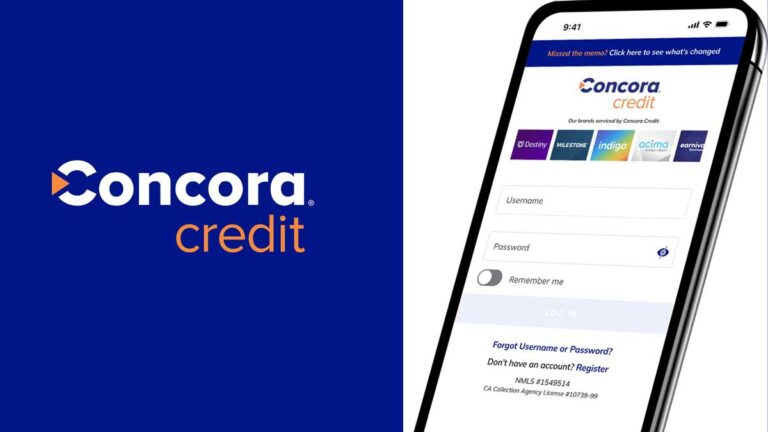
If you’ve ever tried logging into your Concora Credit account, you probably know how frustrating it can be if you’re not sure where to start. That’s why I decided to write this simple, easy-to-understand guide that’ll walk you through every little step of the login process. Whether you’re trying to pay a bill, check your rewards, or just want to see your current balance, everything starts with your Concora Credit login.

Concora Credit Login

Concora Credit login is a portal that helps manage credit cards issued in partnership with major retailers. This login is your gateway to viewing transactions, managing rewards, and handling payments online.

What is Concora Credit and Why Does It Matter?

Concora Credit is the online platform used by Comenity Bank, a key player that issues store-branded credit cards for brands. If you’ve recently applied for a credit card, chances are you’ll be managing it through Concora. That’s why understanding the login process, and how to navigate the account, matters a lot.

The platform isn’t just about checking balances. It’s packed with helpful features like paperless billing, real-time purchase tracking, and even fraud alerts. It’s your all-in-one command center. I mean, wouldn’t you want to know exactly what’s going on with your credit card 24/7?

Also, let’s talk convenience. No more waiting on hold with customer service or digging through emails for your statement. With the Concora Credit login, everything’s at your fingertips. And yes, you can even access it from your phone.

In today’s world, protecting your financial information is no joke. Concora uses encryption and multifactor authentication to keep your data locked up tight. If that doesn’t make you feel better about logging in, I don’t know what will.

How to Access Your Concora Credit Login Portal

You’ve got a Concora Credit account, or maybe you just signed up for one. Now you’re asking, “Where do I log in?”.

First, go to the official Concora Credit website usually it’s via the Comenity. Just make sure you’re on a secure site. You’ll see fields asking for your username and password.

Here’s a basic step-by-step:

  1. Visit the official login page – It’s usually something like https://concoracredit.myfinanceservice.com/, or you can search “Concora Credit login” and click the official site.
  2. Enter your Username – This is the one you created when you first registered.
  3. Type in your Password – Make sure Caps Lock isn’t on!
  4. Click “Sign In” – Boom, you’re in.

If you check that little “Remember Me” box, your browser will remember your login next time. But be careful if you’re using a public computer, don’t check that box at the library!

Bookmark the login page. It’ll save you a couple of clicks next time you need to access your account.

Devices and Browsers Compatible with the Portal

If your login page is acting wonky, it might not be you, it might be your tech. Concora Credit is optimized for modern browsers like:

  • Google Chrome (latest version)
  • Mozilla Firefox
  • Safari (for Mac users)
  • Microsoft Edge

Also, make sure your browser allows cookies and popups. If not, you might not be able to log in or see your account dashboard properly. And please, please don’t try to log in using outdated browsers like Internet Explorer.

For mobile users, the portal is fully responsive, so you can log in on your phone or tablet without any issues. Whether it’s iOS or Android, you’ll get a clean, easy-to-navigate experience.

Common Login Issues and Troubleshooting Tips

Now let’s say you tried logging in and hit a brick wall. It happens. Here are some common problems and how to fix them:

  • Forgot your password? Click on the “Forgot Password” link on the login page. They’ll send you an email or text to reset it.
  • Username not recognized? Double-check your spelling. If that doesn’t help, use the “Find My Username” tool.
  • Website not loading? Try clearing your cache or switching to a different browser.
  • Two-factor code not working? Make sure your phone number is up-to-date in your account settings.

And if all else fails, just call customer support. The folks over there are actually pretty helpful and can walk you through it.

First-Time Users – How to Register for Concora Credit

So, you’re brand new and haven’t created an account yet? No problem. Let’s walk through the process of registering for your Concora Credit login step by step.

To start, you’ll need a few things:

  • Your Credit Car
  • Your Social Security Number (SSN) or Tax ID
  • A valid email address
  • Your zip code

Here’s how to register:

  1. Head to the Concora/Comenity registration page.
  2. Click on “Register for Online Access.”
  3. Enter your card number and zip code to verify your identity.
  4. Provide the last 4 digits of your SSN.
  5. Set up a username and password (pick something secure but memorable!).
  6. Choose your security questions – these help if you ever get locked out.
  7. Confirm your email and phone number.

Once you complete this, you’re officially set up. You’ll now be able to log in anytime to check your balance, pay your bill, or see your rewards. It really only takes 5–10 minutes, tops.

And trust me, it’s worth it. Having online access means you’re in full control of your account no waiting on hold or digging through piles of paper mail.

Verification Process and Security Measures

When you’re signing up or even logging in, security is top priority. And for good reason this is your personal financial info we’re talking about. Concora Credit uses multiple verification layers to ensure that it’s you trying to get in not someone pretending to be you.

Here’s what you’ll notice during the process:

  • Two-Factor Authentication (2FA): After you enter your login details, you might be asked to enter a code sent to your phone or email. It’s one extra step, but it keeps hackers out.
  • Device Recognition: If you’re logging in from a new phone or computer, Concora will probably ask for extra verification. That’s a good thing!
  • Security Questions: During setup, you’ll choose a few questions that only you would know the answer to. They might pop up if something looks suspicious.

And just so you know, all data is encrypted. That means even if someone intercepts your info (which is rare), they won’t be able to read it. Plus, the site has HTTPS encryption, that little padlock next to the URL? That means you’re in safe hands.

Keep your password strong, avoid public Wi-Fi when logging in, and don’t share your login with anyone, even your BFF. These little steps can make a big difference.

Navigating Your Concora Credit Dashboard

Once you’ve logged in, you’ll land on your Concora dashboard, your control center. Think of it like your credit card’s “mission command.” Everything you need to manage your account is right there, and it’s pretty easy to understand once you know what’s what.

Here’s what you’ll typically see:

  • Account Summary: Your current balance, minimum payment due, payment due date, and available credit.
  • Transactions: All your recent purchases, pending charges, and any refunds.
  • Statements: You can download or view your monthly statements (which is super helpful during tax season).
  • Rewards Balance: If your card earns points or perks, they’ll show up here.
  • Make a Payment: This feature lets you pay right from the dashboard, either as a one-time payment or automatic monthly payments.
  • Alerts & Settings: You can update your info, change your password, or set up email/text alerts for things like due dates or suspicious activity.

I personally like to check my account once a week, just to keep an eye on spending and catch any weird charges. You’d be surprised how many people forget about auto-renewals or subscriptions. This dashboard gives you full visibility so nothing slips through the cracks.

Where to Find Key Account Details

Sometimes, you’re just looking for one thing, your due date, your credit limit, or your last payment. Don’t worry, it’s all there. Here’s where to find the most important info on your Concora Credit login dashboard:

  • Payment Due Date & Amount: Right at the top, usually highlighted in red or bold. Hard to miss.
  • Credit Limit & Available Credit: Also, near the top shows how much you can still spend before hitting your limit.
  • Reward Tracker: This is perfect if you’re earning points with purchases.
  • Last Statement Balance: Found under the “Statements” tab, where you can see every past bill.
  • Billing Address and Contact Info: Under account settings, update it if you move!

You don’t need to dig around or call anyone. It’s all there, in a clean and simple layout that’s beginner-friendly.

Managing Payments and Viewing Statements

Nobody enjoys paying bills, but Concora Credit makes it painless. You’ve got multiple options, and it takes less than five minutes to get it done.

Here’s how you pay:

  1. Go to your dashboard and click “Make a Payment.”
  2. Choose how much you want to pay, minimum, full, or custom.
  3. Enter your bank info (you can save this for future use).
  4. Select your payment date, today or schedule ahead.
  5. Confirm the payment.

You’ll get a confirmation email, and the transaction usually posts within 24–48 hours. No checks, no stamps.

As for statements, there’s a tab for those too. Just click on “Statements & Documents” and you’ll see a list of all your past statements. You can view them as PDFs or download them for your records.

Benefits of Using Concora Credit Login Online

Logging into your Concora Credit account isn’t just about checking balances or making payments, it actually brings a whole lot of convenience and control right to your fingertips.

1. Instant Access to Account Info

Instead of calling customer service and waiting on hold, you can just log in and get everything you need. Your available credit, payment due date, rewards, boom, all right there.

2. No Missed Payments

Late payments can wreck your credit score. With Concora Credit, you can set up automatic payments or receive email/text reminders so you never miss a due date again.

3. View and Download Statements Anytime

Need to check how much you spent wondering where can I get my statement? You can download your monthly statement in seconds. No digging through piles of paper mail. Super helpful during tax time or budgeting.

4. Monitor Spending & Control Habits

Your dashboard shows all recent purchases and payment history, helping you stay on top of your spending. For me, it’s a game-changer.

5. Safe, Secure, and User-Friendly

With two-factor authentication, encrypted data, and security alerts, you can trust the platform to keep your info safe. And it’s surprisingly easy to use, even if you’re not super tech-savvy.

In short, the online platform makes it simple, safe, and stress-free to manage your account. Whether you’re budgeting, checking your balance, or redeeming rewards, you’ll want to log in regularly. It honestly makes managing your card feel like less of a chore, and more like something you’re totally in control of.

Resetting Your Concora Credit Login Credentials

We’ve all done it typed in our password only to realize we completely forgot it. Happens to the best of us. Thankfully, Concora makes it easy to reset your login credentials so you’re never locked out for long.

Forgot Password? Here’s What to Do

  1. Go to the login page and click “Forgot Password?”
  2. Enter your username and zip code.
  3. You’ll receive a security code via email or text.
  4. Enter the code and set a new password.

Try to choose a password you’ll remember, but still strong enough to keep your account safe. Use a mix of letters, numbers, and symbols. And please don’t reuse passwords from other accounts.

Lost Username? Don’t Panic

Here’s how to retrieve your username:

  1. Click “Forgot Username?”
  2. Provide your card number, zip code, and last 4 digits of your SSN.
  3. You’ll be shown your username or sent it via email.

It’s a quick fix, but I recommend writing down your login details somewhere safe or using a secure password manager app if you tend to forget stuff like I do.

Also, if you keep getting locked out, you might want to enable “Remember Me” on your personal device (not public computers!) to save time.

How Safe Is the Concora Credit Portal?

Look, I’m just as cautious as you when it comes to online accounts especially anything tied to money. That’s why I took a closer look at the security side of Concora Credit, and I’ve gotta say, it’s built like Fort Knox.

Encryption All the Way

From the second you enter your login info, your data is encrypted. This means no one, not even the company, can read your password or personal details. That little padlock icon next to the web address? That’s your proof.

Two-Factor Authentication (2FA)

Every time you log in from a new device or location, Concora sends a one-time security code to your phone or email. You’ve gotta enter it before you can access your dashboard. It’s a small step that adds a big layer of protection.

Fraud Monitoring and Alerts

If something looks fishy, like a login from another country or a massive charge out of nowhere, Concora flags it. You’ll get an alert, and you might even get a call from the bank. This has saved people from credit card fraud more times than I can count.

Mobile Access – Concora Credit on the Go

We live on our phones, right? And thankfully, Concora Credit gets that. Whether you’re lounging at home, shopping in-store, or sitting on a train, you can manage your card account on the go. Here’s how to do it.

Is There an App?

Currently, Concora Credit doesn’t have its own dedicated mobile app, but you can still access the login portal through any mobile browser, Chrome, Safari, Edge, you name it.

Just visit the same login URL as you would on a computer. The mobile site is responsive, meaning it adjusts to your screen size and works just as smoothly as the desktop version.

Features You Can Access on Mobile:

  • Check your balance
  • View recent transactions
  • Pay your bill
  • View or download your statements
  • Manage alerts and notifications
  • Update contact info

Honestly, I use the mobile site more than the desktop one. It’s fast, clean, and gets the job done while I’m out and about.

Customer Support for Concora Credit Users

Sometimes things just don’t go as planned. Maybe your payment didn’t go through, your account looks off, or the website won’t load properly. When that happens, it’s good to know that Concora Credit’s customer support is ready to help.

How to Reach Them

  • Phone: The fastest way to get help is to call the customer service number listed on the back of your credit card.
  • Email: Some account issues can be handled via secure messaging once you’re logged into your account.
  • Live Chat: Depending on availability, you may see a “Chat Now” option on the login page.

Common Support Issues They Help With:

  • Trouble logging in or resetting password
  • Payment errors or delayed transactions
  • Lost or stolen card reporting
  • Disputing a charge
  • Questions about rewards or points
  • Updating personal information (address, phone number, etc.)

I’ve contacted them before and found the reps helpful and patient. Just make sure you have your card details and personal verification info handy when you call it speeds things up a lot.

Also, there’s a handy FAQ section on the Comenity site that answers tons of common issues. If your problem’s not urgent, I recommend starting there.

Tips for Managing Your Credit Responsibly

Using a credit card responsibly is about more than just making payments. It’s about building trust with your lender, maintaining a good credit score, and avoiding stress. Here’s how I keep things under control using my Concora Credit account.

1. Set Up Automatic Payments

This has saved me from late fees more than once. You can set up autopay to cover your minimum payment, full balance, or a custom amount every month.

2. Use Alerts to Stay Informed

I like to receive a text when:

  • A payment is due
  • My balance is high
  • A new transaction is made
  • These alerts help you stay aware and avoid surprises.

3. Check Your Account Weekly

It only takes five minutes to log in and check your dashboard. That weekly check-in helps spot unauthorized charges and reminds you where your money’s going.

4. Don’t Max Out Your Card

Try to keep your balance under 30% of your total credit limit. Not only is it better for your credit score, but it also leaves room for emergencies.

5. Use Rewards Strategically

If you’re earning rewards or special offers, don’t let them go to waste. Use them when there’s a sale or combine them with promotions to maximize value.

Responsibility isn’t about being perfect, it’s about being consistent. The tools Concora provides make that easier than ever.

FAQs

How do I reset my Concora Credit account password?

Simply go to the login page and click on “Forgot Password?” Then, follow the steps by entering your username and ZIP code. You’ll receive a verification code via email or text to securely reset your password.

What is Concora Credit?

Concora Credit is the online platform managed by Comenity Bank that allows you to control and access private-label store credit cards. It helps you view balances, pay bills, check rewards, and update account settings online.

Does Concora Credit offer private-label credit cards?

Yes, Concora Credit operated by Comenity Bank offers a wide variety of private-label credit cards in partnership with popular brands. These cards often come with exclusive benefits and store rewards.

Conclusion

Managing your Concora Credit has never been easier, thanks to the Concora Credit login portal. From checking balances and paying bills to tracking rewards and updating account info, it’s all at your fingertips 24/7.

So, whether you’re signing in for the first time or just checking on your rewards, trust that Concora Credit has your back. And now that you’ve got this guide, you’ll be able to navigate the entire experience like a pro.

Mathematics Teaching Jobs in USA with Visa Sponsorship​

0

Can I live comfortably on a teacher’s salary in the USA? Can I earn $50,000 USD to $70,000 USD working as a math teacher in the United States? Well, let me tell you upfront: teaching in the USA can pay anywhere between $40,000 USD to $80,000 USD per year, depending on your location, subject, and experience. In cities like New York or California, you may even find schools offering salaries exceeding $90,000 USD per year. That’s around $3,300 USD to $7,000 USD a month before taxes. Now, I’m going to walk you through everything you need to know about Mathematics Teaching Jobs in USA with Visa Sponsorship​, how much you can make, how to start, and what life is really like in this career. If you’re curious about whether this path could be a good fit for you, stick with me.

Overview of the US Education System for International Teachers

Now, before diving into applications, let’s get a quick lay of the land. Teaching in the U.S. can be quite different from other countries, especially if you’re used to more centralized systems.

Public Schools, Private Schools, and Charter Schools

In the United States, there are three major types of K-12 schools:

  • Public Schools: Funded by the government and managed by school districts. Most international teachers end up here because they have structured hiring processes and are more likely to offer visa sponsorship.
  • Private Schools: These schools are independently funded. Some may offer visa sponsorship, especially religious or international private schools, but not all do.
  • Charter Schools: A mix between public and private, charter schools are publicly funded but independently managed. Many are open to international hiring and often provide better flexibility.

In my case, most people found success in a public charter school that focused on STEM education. They were actively looking for international teachers with a strong math background.

Role of International Teachers in Addressing Shortages

International teachers aren’t just filling gaps; they’re enriching classrooms. You bring a unique cultural perspective, innovative teaching styles, and a passion that many U.S. schools are eager to tap into. Schools that hire from overseas often receive additional support from state governments to ensure you transition smoothly.

With U.S. students falling behind in math compared to other developed nations, schools are motivated like never before to find the best talent wherever in the world that may be.

Salary Expectations by State and Region

When you’re searching for mathematics teaching jobs in the USA with visa sponsorship, salary is one of the biggest factors, right? I mean, who doesn’t want to earn well while doing something meaningful? The good news is that salaries for math teachers in the U.S. vary widely by location, experience, and the type of school you work in, but in many places, they’re pretty attractive, especially when you factor in benefits and potential growth.

Northeast Region Salary Averages

In the Northeast, you’ll find some of the highest-paying states for math teachers, but remember, the cost of living can be equally steep.

StatesAverage Annual Salary (Math Teachers)
New York$86,000 USD – $105,000 USD
Massachusetts$82,000 USD – $98,000 USD
New Jersey$79,000 USD – $95,000 USD
Pennsylvania$68,000 USD – $85,000 USD

New York City alone pays its teachers well into six figures after a few years of experience. But, housing in Manhattan or Brooklyn? That’s another story entirely. If you’re moving from abroad, consider the suburbs where rent is more manageable but salaries are still high.

Midwest Region Salary Ranges

The Midwest might not be the first place you think of, but hear me out, this region offers stable pay, lower costs of living, and friendly communities. It’s also much easier to stretch your income here.

StatesAverage Annual Salary (Math Teachers)
Illinois$70,000 USD – $90,000 USD
Minnesota$65,000 USD – $80,000 USD
Ohio$62,000 USD – $80,000 USD
Michigan$60,000 USD – $78,000 USD

Public school systems in cities like Chicago and Minneapolis are often actively hiring internationally.

Southern Region Pay and Cost of Living

If you’re aiming for a lower cost of living and an easier lifestyle, the South might just be your sweet spot. You may earn a bit less than in the Northeast or West, but rent, groceries, and utilities are considerably cheaper.

StatesAverage Annual Salary (Math Teachers)
Texas$65,000 USD – $85,000 USD
Georgia$60,000 USD – $80,000 USD
North Carolina$58,000 USD – $75,000 USD
Florida$55,000 USD – $72,000 USD

Don’t overlook the benefits and incentives, either. Some schools in these states offer housing stipends, relocation assistance, and even signing bonuses to make up for slightly lower base salaries.

West Coast Compensation Packages

Ah, the West Coast, beautiful beaches, tech hubs, and yes, some of the highest teaching salaries in the nation. But remember, these come with high housing costs too.

StatesAverage Annual Salary (Math Teachers)
California$78,000 USD – $105,000 USD
Washington$75,000 USD – $95,000 USD
Oregon$70,000 USD – $90,000 USD

If you’re lucky enough to land a math teaching job in places like San Jose, Seattle, or Los Angeles, you’ll enjoy competitive pay, but start budgeting early. Rent in these areas can eat up a large portion of your paycheck.

Best-Paying Cities for Math Teachers

Here are the top-paying cities for math teachers across the U.S.:

  1. San Francisco, CA – Average salary: $105,000 USD
  2. New York City, NY – Average salary: $100,000 USD
  3. Boston, MA – Average salary: $98,000 USD
  4. San Jose, CA – Average salary: $96,000 USD
  5. Washington, D.C. – Average salary: $94,000 USD

These cities also tend to hire from abroad more frequently, thanks to larger, better-funded school districts and a focus on STEM education.

Teaching Online

By the way, if you’re someone who likes flexibility, teaching online can pay well, too. I’ve seen platforms like VIPKid pay up to $25 USD per hour, and experienced tutors can even earn $50 USD – $100 USD an hour giving private lessons online.

Visa Options for International Math Teachers

You can’t teach in the U.S. without a visa, but don’t let that scare you. There are several visa routes available for international math teachers, and I’ll break them down for you.

H-1B Visa Process for Teachers

This is the most common visa for skilled workers, including teachers. Here’s how it works:

  • You must first receive a job offer from a U.S. school.
  • The school then applies on your behalf during the H-1B visa lottery season (usually starts in March).
  • If selected, you can start teaching by the fall semester.

The H-1B allows you to work for up to 6 years, and it’s even a pathway to permanent residency (Green Card).

The downside? It’s lottery-based and can be competitive. But don’t worry, we’ll also look at some alternatives next.

J-1 Visa for Cultural Exchange Programs

The J-1 visa is specifically designed for educators. It’s part of a cultural exchange program where you teach for 3–5 years while sharing your country’s culture with American students.

Why it’s popular:

  • No need for lottery selection
  • Easier approval process
  • Supportive sponsor organisations help with the transition

Just know that the J-1 typically requires you to return to your home country for two years after completion, unless you apply for a waiver or switch to an H-1B later.

O-1 Visa for Highly Skilled Educators

If you’ve got exceptional teaching experience, awards, or published academic work, the O-1 visa could be your ticket in. It’s reserved for individuals with “extraordinary ability” in their field.

It’s not the most common route, but for experienced math teachers with a strong portfolio, it’s worth exploring.

Transitioning from J-1 to H-1B: What You Need to Know

Many teachers start with a J-1 and later transition to an H-1B to stay longer in the U.S. This can be tricky, but it’s totally doable. You’ll need:

  • A willing employer
  • A visa waiver (to avoid the two-year return rule)
  • Proof of continued employment

There are several teachers who made this transition successfully, so don’t count it out!

What Qualifications Do You Need?

Let me keep this part simple for you:

  • Bachelor’s Degree: In most cases, you’ll need at least a bachelor’s degree, often in education or a subject area like math or English.
  • Teaching License: In the USA, public school teachers need a state license. Don’t worry, it usually requires a certification exam and some classroom experience.
  • Extra Certifications: If you’re teaching online or in specialized subjects like ESL (English as a Second Language), getting certifications like TEFL or TESOL can boost your income.

How to Apply for Mathematics Teaching Jobs in the USA with Visa Sponsorship

You’re ready to find a job and start your U.S. teaching journey. But where do you begin? I’ve got your back. This section walks you through the step-by-step application process so you can land your ideal math teaching job with visa support.

Building a Standout Resume for US Schools

Let me tell you something most international teachers miss: your resume needs to fit U.S. standards. That means clear formatting, a focus on student outcomes, and specific achievements. Here’s what to include:

  • Education credentials (with GPA if possible)
  • Certifications and teaching licenses
  • Experience teaching math (mention grades and curriculums)
  • Measurable outcomes (e.g., “Raised average test scores by 18%”)
  • Awards or recognitions

Avoid including a photo or personal details like age or marital status; these aren’t customary in American resumes.

Where to Find Jobs: Websites and Programs

Here are the top platforms and programs I recommend:

  • TeachAway.com: Global teaching job board with visa options
  • Participate Learning: Specializes in placing international teachers on J-1 visas
  • TPG Cultural Exchange: Offers job placement and visa processing
  • EdJoin.org: California’s education job portal
  • SchoolSpring.com: Nationwide teaching positions
  • USAJobs.gov: Federal teaching roles (less common but worth checking)

Sign up for job alerts and apply consistently. Don’t wait for the “perfect job.” Apply broadly, you never know which district might be your golden ticket.

Interview Tips for International Educators

Once you land an interview, it’s showtime! U.S. school interviews typically happen via Zoom or Teams. Here’s how to crush it:

  • Dress professionally, even if it’s virtual.
  • Be prepared to explain your teaching philosophy.
  • Talk about how you handle classroom management.
  • Emphasize adaptability. U.S. classrooms are very diverse.
  • Ask questions! It shows initiative.

Practice with a friend or record yourself. And always send a thank-you email afterwards. It’s polite and professional, and in America, it matters.

Key Documents and Credential Evaluations

Most U.S. states require that your teaching credentials be evaluated by an authorized organization. This helps schools and licensing boards verify your qualifications.

You’ll typically need:

  • University transcripts
  • Diploma or degree certificate
  • Teaching license or certificate from your home country
  • English proficiency test (like IELTS or TOEFL)

Organizations like WES (World Education Services) or ECE can handle these evaluations. They’ll convert your grades and qualifications into U.S. equivalents.

Challenges You May Face and How to Overcome Them

I won’t sugarcoat it, teaching in a new country comes with a fair share of bumps in the road. But here’s the thing: most of those challenges are completely manageable if you’re prepared.

Cultural Adjustment in the American Classroom

This might be the biggest shock for international teachers. In U.S. classrooms, students are encouraged to speak up, ask questions, and express themselves freely. At first, this might feel chaotic or even disrespectful, but it’s seen as a good thing.

Here’s what can help you:

  • Attend professional development workshops.
  • Partner with a mentor teacher.
  • Be open with your students: tell them where you’re from and what you’re learning too.

The more you embrace the culture, the quicker you’ll adapt.

Certification Requirements by State

Every state has different teaching license requirements. While some accept international credentials more easily, others may ask you to complete extra tests like the Praxis or a state-specific exam.

Before applying, visit the Department of Education website for the state you’re targeting. Many states even have guides for international teachers.

Navigating the Visa Process Smoothly

Visa paperwork can be overwhelming; there’s no sugarcoating that. You’ll be dealing with embassy visits, documentation, deadlines, and sometimes delays. But don’t stress.

Here’s what can save you:

  • Work with a visa sponsor agency: they know the ropes.
  • Start your application early.
  • Keep copies of everything: job offers, visa petitions, emails.
  • Stay organized and proactive, and you’ll make it through just fine.

Top Programs and Organizations That Help with Visa Sponsorship

If you’re serious about landing mathematics teaching jobs in the USA with visa sponsorship, then don’t try to go it alone. Trust me, working with the right organization can mean the difference between a smooth, successful move and being stuck in paperwork and confusion.

These companies specialize in placing international teachers in U.S. classrooms and often provide full support for visa processing, job placement, housing tips, orientation, and even cultural adjustment sessions.

Participate Learning

This program is a game-changer for many international educators. Based in North Carolina, Participate Learning partners with schools across the southeastern U.S., and they’ve brought thousands of teachers from countries like the Philippines, Jamaica, India, and South Africa.

What they offer:

  • J-1 visa sponsorship
  • Training and orientation programs
  • Cultural exchange opportunities
  • Competitive salary with U.S. benefits

What do I love about them? They genuinely care. They check in with you, host community events, and make sure you’re adjusting well to life in the U.S.

Teach Away

Teach Away is an international job board and recruitment platform that connects teachers with schools around the world, including hundreds of U.S. positions that offer visa sponsorship.

Their roles vary from public schools to charter and international schools, and they also help with:

  • Resume building
  • Interview coaching
  • State certification information

They even run a Teacher Certification Program if you need to meet state licensing requirements.

TPG Cultural Exchange

TPG has a long history of helping international educators teach in the U.S. They specialize in cultural exchange through the J-1 visa and work primarily with schools in need of math and science teachers.

Here’s what they’ll do for you:

  • Secure a job placement
  • Sponsor and manage your J-1 visa
  • Offer relocation assistance
  • Provide training before and after arrival

They’re particularly active in states like Georgia, Florida, and Texas.

EPI (Education Partners International)

EPI works with school districts in the southeastern U.S., especially in North Carolina, South Carolina, and Virginia. Their focus is on STEM and foreign language teachers, making them a perfect fit for math educators.

What’s in it for you?

  • 3-year contracts with possible extension
  • Salary equivalent to American teachers
  • Paid holidays and summers off
  • Orientation sessions and community support

EPI also boasts one of the highest teacher satisfaction rates. Many educators renew their contracts or even apply for permanent residency after their program.

Lifestyle, Benefits, and Career Growth in the US

You’re not just moving for a job, you’re moving for a better lifestyle, professional development, and personal fulfilment. Teaching math in the U.S. opens doors you might never have imagined.

Health Benefits, Retirement, and Bonuses

Most full-time teaching jobs in public schools come with:

  • Health insurance (medical, dental, vision)
  • Retirement plans (pensions or 401(k) contributions)
  • Life insurance
  • Sick and vacation leave
  • Summer breaks (unpaid but free time!)

Some states even offer performance bonuses, especially for math teachers in high-need districts.

Housing and Relocation Support

Many programs like EPI and Participate Learning offer:

  • Temporary housing when you arrive
  • Relocation stipends
  • Help finding affordable long-term rentals

Some school districts even partner with landlords to get you better rates. Pro tip: join local Facebook groups for international teachers, they’re full of housing tips and support.

Growth Opportunities and Tenure

You’re not stuck teaching one grade level forever. Many international teachers go on to become:

  • Curriculum coordinators
  • Department heads
  • Instructional coaches
  • Assistant principals

Some even pursue advanced degrees or earn permanent residency to continue climbing the ladder. In other words, you can build a real career in the U.S., not just a temporary job.

Common Mistakes to Avoid in Your Application

Let’s be real. Even the most qualified teachers can trip up during the application process. So here’s a list of common mistakes and how to dodge them.

Incomplete Paperwork and Missed Deadlines

Nothing slows down your visa faster than a missing document. Triple-check your:

  • Resume
  • Passport validity
  • Credential evaluations
  • Background check
  • Employment offer

Set calendar reminders for every deadline. Immigration forms are not forgiving if you’re late.

Underestimating State Certification Requirements

Don’t assume your international license is enough. Most U.S. states want you to:

  • Pass a background check
  • Submit foreign transcript evaluations
  • Possibly take state-specific exams (Praxis, etc.)

Start researching these requirements as soon as you start job hunting. Some states are more lenient than others, so plan accordingly.

The Future Outlook of Math Teaching in the USA

So, let’s talk about where this whole thing is headed. If you’re wondering whether pursuing mathematics teaching jobs in the USA with visa sponsorship is a smart long-term move, spoiler alert: it is.

The demand for math teachers isn’t going anywhere. It’s growing. There’s a widening gap between the number of qualified educators and the number of positions available, especially in subjects like math, science, and special education.

Demand Forecasts and Job Stability

Here’s a quick stat to show you just how serious this shortage is: According to the U.S. Department of Education, over 40 states have listed mathematics as a “high-need subject area” every year for the past decade.

This means more job openings, better incentives, and a higher chance that schools will be willing to sponsor your visa. Districts in rural and urban areas are especially proactive in hiring international educators to help meet the demand.

So, if you’re worried about job security, don’t be. If you’re good at what you do and stay open to learning, your chances of keeping your position and even growing into new roles are very strong.

Government Policies on Teacher Visa Sponsorship

Immigration and education policy can change from one administration to the next. However, one constant is that the U.S. continues to acknowledge the teacher shortage, especially in STEM.

Recent years have seen:

  • Increased flexibility in H-1B sponsorship for educators
  • State-level initiatives to recruit international talent
  • More streamlined processes for J-1 cultural exchange visas

Some states are even working with federal agencies to fast-track credentialing for foreign-trained teachers. That’s good news for folks like you and me who are looking to bring our skills to U.S. classrooms.

Conclusion

If you’re passionate about teaching and dream of exploring life in the U.S., there’s no better time to go after mathematics teaching jobs in the USA with visa sponsorship. The opportunities are out there, and they’re real.

Yes, the process can be long. Yes, you’ll face challenges. But if you prepare yourself, stay patient, and lean on support systems, this journey can change your life. I’ve watched teachers just like you go from local classrooms abroad to thriving careers across American schools, buying homes, raising families, and building futures.

Collins Community Credit Union Login – How to Access My Account Statement

0

If you’re looking to log into your Collins Community Credit Union account, you’re in the right place. Whether you’re checking your balance before grabbing coffee or scheduling a bill payment on the go, Collins Community Credit Union login is the key to making your financial life a whole lot simpler.

Collins Community Credit Union Login

Collins Community Credit Union Login is your access to managing your finances with ease and control. The Collins Community Credit Union login page is accessible and simply made for easy access to your money, bills, statements and other finances details. In today’s digital age, being able to check your balance, move funds, pay bills, and view transactions from anywhere isn’t just convenient, it’s essential. This guide will walk you through everything you need to know, from accessing the login page to troubleshooting, securing your account, and using the mobile app.

Why Collins Community Credit Union Login Matters

Think about the last time you wanted to check your account after a purchase, or pay your credit card or utility bill. Going to a physical branch isn’t always practical, time off work, commute delays, or limited branch hours are all annoying. That’s where the Collins Community Credit Union login comes in handy. When I signed up for online banking, I realized how liberating it is to manage my money any time of day or night from my computer.

Why it matters:

  • Instant Access: Checking transactions in real-time.
  • Control & Security: Spot anything suspicious early.
  • Financial Empowerment: Track savings, set budgets, handle bills.
  • Convenience: No need to drive to a branch; use from home, work, or traveling.

Before I understood what online banking could do, logging in was just a chore. But now it feels like taking charge of my money with zero hassle. And with Collins, it’s easy, so easy I feel in complete control every day.

How to Log into Your Collins Community Credit Union Account

Here’s a step-by-step guide I’ve refined so the process is seamless.

1. Open the Official Website

No guessing, make sure you go to the real site: www.collinscu.org. I always double-check the URL so I don’t fall for lookalike scams.

2. Locate the “Login” Button

On the homepage, right at the top or center, you’ll find a prominent “Login” or “Online Banking” button. Collins Community Credit Union keeps it simple, so you don’t have to hunt around.

3. Enter Your Username and Password

Click that button and the login form pops up. I enter my username (often my email or a chosen ID) and password. A few tips I use:

  • Type slowly to avoid typos.
  • Use “Show Password” to double-check.
  • Avoid auto-fill on public/shared computers.

4. Click “Login”

Hit the Login button to proceed. If credentials are correct, you’re in. If not, you’ll see an error message—more on fixing that below.

5. Confirm with Multi-Factor Authentication (if enabled)

If you’ve activated MFA, you’ll receive a code via text or authentication app. Just enter that, and you’re good to go.

Collins Community Credit Union Mobile App Login

More times than not, I grab my phone rather than sit at my laptop. Collins knows this, so they have a mobile app that makes home banking even more handy.

1. Get the App

Search your app store iOS or Android for “Collins Community Credit Union”. The icon clearly shows the credit union’s name and logo.

2. Install and Open

Tap Install, then open the app.

3. Enter Your Credentials

First time in? Use your same online banking username/password to log in. Future logins might use a PIN or biometric (fingerprint/facial recognition).

4. Enable Biometrics

I enabled fingerprint login, which means I never have to type again—just a quick thumbprint, and I’m in.

5. Use the App Daily

From the dashboard, I can:

  • Check balances
  • Transfer money
  • Deposit checks by snapping a photo
  • Pay bills
  • Set alerts for low balance or large purchases

The mobile experience is smooth, intuitive and fast, and the fingerprint login ensures I’m the only one who can access my finances.

Multi‑Factor Authentication at Collins Community Credit Union

Security is top priority. After setting up my account, the system prompted me: “Do you want multi-factor authentication?” I said yes immediately and you should too.

What Is MFA?

Multi-factor authentication means you use two or more forms of verification:

  • Something you know: your password
  • Something you have: phone or authentication app
  • (optional) Something you are: fingerprint or facial ID

So even if your password is compromised, someone can’t log in without your phone or biometric approval.

Does Collins Community Credit Union Use Multi-Factor Authentication?

Absolutely. They require MFA when logging in from a new device, when you reset your password, or occasionally as a security check. That second layer of protection gives me peace of mind.

How to Enroll in Collins Community Online Banking

If you’ve never used online banking with Collins before, enrolling is your very first step—and trust me, it’s easier than you might think. When I signed up, it took me less than 10 minutes, and the process was super intuitive. Here’s exactly how you can do it too.

Step-by-Step Enrollment Guide

1. Visit the Official Website

  • Head over to collinscu.org.
  • Right on the homepage, click the Login button.
  • Below the login form, you’ll see a link that says “Enroll Now”. That’s where to begin.

2. Choose Account Type

  • Select whether you’re enrolling as a Personal or Business member.
  • Most folks, like me, will choose “Personal.”

3. Enter Identification Information

  • You’ll be asked for:
  • Full Name
  • Social Security Number
  • Date of Birth
  • Member Number (from your welcome packet or statement)
  • Accuracy is crucial here, mistyped details may lead to errors.

4. Create Your Credentials

  • Choose a unique username (something not easily guessed) and a strong password.
  • I usually go with a combo of uppercase, lowercase, numbers, and special characters.

5. Verify Your Identity

  • You’ll likely receive a verification code via text or email.
  • Enter that to confirm it’s really you.

6. Accept Terms and Conditions

  • Read through and agree to the terms.
  • Click “Submit”, and you’re officially enrolled!

Now, you’re ready to access your account using the Collins Community Credit Union login any time.

What If I Forgot My Password for Collins Community Credit Union Online Banking?

Let’s be honest, we’ve all been there. I once typed the wrong password three times and got locked out. Don’t panic! Resetting your password with Collins is a breeze.

Step-by-Step Password Reset

  1. Click “Forgot Password?”
  2. Go to the Collins Community Credit Union login page.
  3. Right below the username/password fields, you’ll see “Forgot Password?”
  4. Verify Your Identity
  5. Enter your username and sometimes additional info like your email or date of birth.
  6. Receive a Reset Code
  7. A 6-digit verification code will be sent to your registered email or mobile number.
  8. Enter the Code
  9. Type the code on the screen to confirm your identity.
  10. Create New Password
  11. Choose a new, secure password.
  12. Confirm it by entering it twice, then hit “Submit.”

And that’s it, you’re back in! I now use a password manager so I don’t have to go through this again.

What If You Don’t Receive the Reset Code?

  • Check your spam/junk folder.
  • Ensure your phone number/email on file is up to date.

Still stuck? Call their member support team, they helped me once in under 5 minutes.

How to Access Collins Community Credit Union Account Statements

Sometimes you just need to dig into your past transactions—maybe for taxes, budgeting, or just peace of mind. I often pull my statements online rather than waiting for paper ones, and here’s how you can too.

Viewing Your Statements

  1. Log Into Your Online Banking
  2. Use your Collins Community Credit Union login credentials.
  3. Navigate to “Statements”
  4. On the dashboard or top menu, find and click “Statements” or “eDocuments.”
  5. Choose Account and Date Range
  6. Select the specific account (checking, savings, etc.).
  7. Pick the month or quarter you need.
  8. Download or View
  9. You can either view it as a PDF right in your browser or download it to your device.

Benefits of eStatements

  • Instant Access: No waiting for the mail.
  • Environmentally Friendly: Less paper waste.
  • Easy Record-Keeping: I keep all mine neatly stored on my laptop.
  • Secure: More secure than mailed paper statements that can be intercepted.

Benefits of Using Collins Community Credit Union Online Services

If you’re still wondering whether online banking is worth it, let me tell you—it is. Signing into my account with the Collins Community Credit Union login gives me superpowers when it comes to managing my money.

  • 24/7 Access to Your Money: No more planning around banking hours.
  • Bill Pay Services: I schedule recurring payments so I never miss a due date.
  • Transfer Funds Easily: Move money between accounts or even to other banks.
  • Mobile Check Deposit: I snap a pic of the check and boom it’s deposited.
  • Account Alerts: Get notified for large withdrawals, low balances, or suspicious activity.
  • Loan Applications & Credit Monitoring: Apply for auto loans or personal loans right from your dashboard.
  • Budgeting Tools: Some cool integrations allow me to set savings goals or track spending.

You can confidently say that Collins doesn’t just give you access, they give you control, convenience, and clarity.

Customer Support and Contact Options

Having good customer support is a big deal. When something goes wrong or even if you just have a quick question, you want to know someone has your back. With Collins, I’ve found the support team to be helpful, fast, and surprisingly friendly.

Ways to Contact Collins Community Credit Union

Phone Support

  • Call their main line
  • Hours are typically Monday–Friday, 9 AM to 5 PM, but they sometimes have extended support.

Live Chat

  • Available through their website. I’ve used it for quick questions—works great.

Email or Secure Messaging

  • If you’re logged in, you can send a message through your online banking portal.

Branch Visits

  • Prefer in-person help? Find a local branch using their Branch Locator.

Mobile App Support

  • There’s a help section right in the app, and it’s well-organized.

If it’s something urgent like a locked account, call them directly. For things like setting up new features, the live chat or email options are just fine.

FAQs

Does Collins Community Credit Union use multi-factor authentication?

Yes, Collins uses multi-factor authentication for added security. You’ll often receive a verification code via text or app after entering your password.

How secure is Collins Community Credit Union online banking?

Very secure. They use SSL encryption, timed logouts, login alerts, and fraud monitoring, plus MFA for added protection.

How can I access my Collins Community Credit Union account statement?

Just log into your online banking account, go to “Statements” or “eDocuments,” select the account and date range, then download or view your PDF.

What if I forgot my password for Collins Community Credit Union online banking?

Click “Forgot Password?” on the login page, verify your identity, receive a code, and reset your password in minutes.

What is the Collins Community Credit Union mobile app?

It’s a full-featured app for iOS and Android where you can log in, transfer money, deposit checks, pay bills, and more anytime, anywhere.

How do I enroll in Collins Community Online Banking?

Visit the Collins website, click “Enroll,” provide your identification info, set your login credentials, and confirm via a verification code.

Conclusion

Your Collins Community Credit Union login is more than just a username and password. It’s your ticket to easier, safer, and smarter banking. From checking balances on the go to managing business transactions and budgeting for the future, everything is at your fingertips.

Using the Collins online banking platform has saved me hours of time, and you feel far more in control of your money than you ever did before. With robust security, intuitive features,

Sikorsky Credit Union Login – How to Access Your Account Online

0

Whenever someone searches for “Sikorsky Credit Union Login,” it means they are finding it difficult to try to get into their account. When issues arise while trying to access your account, you experience difficulty accessing your money, your bills, and your peace of mind, which are just a click away. And if you’re here, I’m guessing you’re on the same page. Whether you’re a new member trying to figure out how to log in or you’ve been banking here for years but forgot a step or two, I’ve got you.

Sikorsky Credit Union Login

Online banking should be simple. You shouldn’t have to feel like you’re cracking some secret code every time you want to check your balance or pay a bill. That’s why I’ve put together this full guide to walk you through everything from setting up your account to logging in smoothly, using their online tools, fixing common issues, and staying safe while doing it all.

Who Can Join Sikorsky Credit Union?

Membership Eligibility Requirements

So, you’re probably wondering, can I even join Sikorsky Credit Union? I asked the same thing. Turns out, it’s pretty straightforward.

You can join if you:

  • Live, work, worship, or attend school in Fairfield, New Haven, or Hartford counties in Connecticut
  • Are an immediate family member of an existing member
  • Work for Sikorsky Aircraft or other affiliated companies

It’s way more inclusive than I initially thought. You don’t need to be part of the aviation industry or anything super niche.

Locations and Coverage Areas

Although they’re based in Connecticut, Sikorsky Credit Union has multiple branch locations and an ATM network that makes access easy. The main branches are in:

  • Stratford
  • Bridgeport
  • Milford
  • Seymour
  • Trumbull
  • Shelton

Plus, with online and mobile banking, you’re not tied to any physical location. It’s perfect if you’re constantly on the go or don’t live near a branch anymore.

How to Create a Sikorsky Credit Union Online Account

Step-by-Step Registration Process

Here’s how I got started and how you can too.

  1. Go to www.sikorskycu.org
  2. Click on the “Online Banking Login” at the top right
  3. Choose “Enroll Now” if you’re a first-time user
  4. Enter your personal information:
  5. Account number
  6. Social Security Number (last 4 digits)
  7. Email address
  8. Date of birth
  9. Set up your username and password
  10. Confirm via email or SMS

That’s it. Took less than 10 minutes. Just make sure all your info matches what’s on your account.

Sikorsky Credit Union Login Process

Logging In from a Desktop

Once your account is set up, logging in is a breeze. Here’s what I do:

  1. Visit www.sikorskycu.org
  2. Click “Login” at the top right
  3. Enter your username and password
  4. Hit “Sign In”

Boom, you’re in. No fuss.

If you check the box that says “Remember Me,” your browser will save your login credentials for next time. Just make sure you only do this on private devices.

How to Login on the Mobile App

The mobile app is perfect for when I’m out and about. Here’s how to use it:

  1. Download the Sikorsky Credit Union app from the App Store or Google Play
  2. Open the app and enter your login details
  3. Use Face ID or Touch ID for quicker access (if your phone supports it)

It’s fast, clean, and gets you where you need to go without the desktop.

Sikorsky Credit Union Online Banking Features

Dashboard Overview

Once I logged in to your Sikorsky Credit Union online banking account, the first thing you noticed is how clean and easy the dashboard looked. No clutter, no complicated menus just everything you needed right in front of you. You’ll see your checking and savings balances right at the top, along with any active loans or credit cards you’ve got through them. One glance, and you’ll have a snapshot of your financial health.

The dashboard also includes quick links to make a transfer, pay a bill, or view your recent transactions. One of the amazing features is the “Financial Wellness” section, which breaks down your spending by category so you can see where your money’s going each month.

You can also customize your dashboard by dragging widgets around. If you pay bills frequently, move that widget up top. If you check your statements more often, bring that front and center. It’s all about making the dashboard work for you.

Checking Balances and Viewing Statements

After logging in, checking your balance is a one-click job. Whether it’s your checking account, savings, credit card, or even your auto loan, it’s all visible at a glance. No need to hunt around or call customer service.

And statements? Forget waiting for paper mail. You can view and download monthly statements right from the portal. Here’s how I usually do it:

  1. Click on the “Accounts” tab
  2. Select the account you want
  3. Choose “eStatements” or “Statements”
  4. Pick your month, then view or download the PDF

It’s super helpful for tax season or if you need to provide proof of income or transaction history. Plus, you’re saving trees, so go you!

Transferring Funds and Paying Bills

This is where Sikorsky Credit Union’s online banking shines. Transferring money between accounts is quick and seamless. Want to move money from savings to checking? Done. Need to send cash to your kid’s account? No problem.

Here’s what’s awesome:

  • Internal Transfers: Between your own accounts are instant
  • External Transfers: To other banks usually 1–2 business days
  • Recurring Transfers: Set it and forget it

Now let’s talk bill pay. I’ve used the Bill Pay feature for everything from my electric bill to Netflix. Just enter the payee details once, and then you can set up one-time or recurring payments. You can even see the estimated delivery date, so there are no late fees.

Oh, and if you live in Stratford or nearby, yes, you can pay bills online through Sikorsky Financial Credit Union Stratford CT. Everything is integrated.

Benefits of Using Sikorsky Credit Union Online Services

24/7 Convenience

Gone are the days of rushing to the bank before closing time. With Sikorsky Credit Union online banking, I can do just about everything, day or night. Whether it’s 2 AM and I need to transfer rent money, or I’m traveling out of state and need to check if my paycheck hit, it’s all accessible.

It honestly feels like having a bank in my pocket.

Time-Saving Tools

Time is money, right? The tools Sikorsky provides cut down on the time I spend managing finances. Features like:

  • Auto-payments
  • Budget calculators
  • Automatic savings transfers

These tools help me stay ahead of bills, avoid overdraft fees, and plan for the future. And the interface? Clean and fast, no waiting around for pages to load or confusing menus.

Budgeting and Financial Planning Tools

If you’ve ever tried sticking to a budget, you know how tough it is. But Sikorsky’s online platform includes real tools to help:

  • Spending Analysis: Pie charts show where your money goes
  • Goal Setters: Want to save for a vacation? Create a goal and track it
  • Alerts: Get notified if your balance drops below a set amount

I’ve saved more money in the past six months using these tools than I did in the past two years. It’s like having a financial coach baked into your banking app.

Mobile App Features for On-the-Go Banking

How to Download and Set It Up

Getting the mobile app set up was one of the best decisions I made. Just search for “Sikorsky Credit Union” in the Apple App Store or Google Play Store. Once downloaded, here’s what to do:

  1. Open the app
  2. Enter your existing login info
  3. Set up biometric login (Face ID or Touch ID)
  4. Start banking!

It took me all of 3 minutes.

App Navigation Tips

The app mirrors the desktop layout, which I love. Everything you need is just a tap away. You can:

  • Check balances
  • View recent transactions
  • Pay bills
  • Transfer funds
  • Deposit checks

Customize your menu for quicker access to your most-used features.

Mobile Deposit and Alerts

This one is a game-changer. No need to drive to the branch to deposit a check. Just:

  1. Open the app
  2. Tap “Deposit Check”
  3. Snap photos of the front and back
  4. Enter the amount
  5. Confirm

Done. You’ll get an email confirmation too.

And alerts? You can get push notifications for just about anything, low balances, bill due dates, large withdrawals. It helps you stay on top of things and avoid surprises.

Customer Service and Support

How to Contact Sikorsky Credit Union

One thing I’ve come to appreciate is how accessible Sikorsky Credit Union’s support is. Whether I’ve had questions about my login, an issue with mobile deposit, or needed help resetting a password, they’ve always had my back. There are a few solid ways to get in touch:

  • Phone: You can call them directly at their member services number. Typically, their hours are Monday through Friday, 8:30 AM to 4:30 PM.
  • Email: If it’s not urgent, shoot them an email. You’ll get a detailed and helpful response usually within 24 hours.
  • Branch Visits: Prefer face-to-face? Just head to your nearest location. They’re super friendly, and no question is too small.

Live Chat, Phone, and Email Options

The live chat feature is my personal favorite. It’s available during regular business hours right from their website. Whether I was at work or at home, I could just pull up the chat, ask my question, and get a real-time answer without waiting on hold.

Help for Common Issues

We all hit snags now and then. Whether it’s forgetting your password, getting locked out, or not seeing a recent transaction, Sikorsky’s support team walks you through it without making you feel dumb. They’re trained, they’re local, and they’re helpful (which, let’s be honest, isn’t always the case with banks).

You’ll also find a helpful FAQ and support section on their website that solves a ton of common problems.

Frequently Asked Questions (FAQs)

Does Sikorsky Credit Union offer online banking?

Yes, absolutely. Sikorsky Credit Union offers full-service online banking, including balance checks, transfers, bill pay, eStatements, budgeting tools, and more. Whether you’re using a computer or mobile device, you have complete control of your account 24/7.

Is Sikorsky Credit Union open on June 19th?

Sikorsky Credit Union observes federal holidays, including Juneteenth (June 19th), which means branches are typically closed. Online and mobile banking remain accessible even when branches are closed.

Can I pay bills online at Sikorsky Financial Credit Union Stratford CT?

Yes, you can! The Stratford location supports full online banking capabilities, including bill payments. Log in through the website or app and use the Bill Pay tool to manage all your payments.

Who is Sikorsky Credit Union?

Sikorsky Credit Union is a not-for-profit financial institution originally established to serve employees of Sikorsky Aircraft. Today, they serve communities throughout Connecticut and offer a wide range of personal and business banking services with a focus on member-first values.

How many locations does Sikorsky Financial Credit Union have?

They have several branches across Connecticut, including Stratford, Milford, Seymour, Trumbull, Shelton, and Bridgeport. Each location offers full banking services, and you can also access your account at thousands of ATMs through their partner networks.

Who can join Sikorsky Credit Union?

If you live, work, worship, or attend school in Fairfield, New Haven, or Hartford counties, or if you’re a family member of an existing member, you’re eligible to join. You don’t have to work for Sikorsky Aircraft to become a member anymore.

Conclusion

Logging in to your Sikorsky Credit Union account should be quick, safe, and convenient, and it is. From creating your account and signing in, to using all the online tools they offer, it’s a system that works for you. Whether you’re a first-timer trying to get started or a long-time member brushing up on features, this guide should make the process clearer and a lot less stressful.

Learn.eltngl.com Login – User Access Account

0

Logging into learn.eltngl.com might seem like a simple task, but if you’ve ever scratched your head wondering what it’s all about or why it even matters, you’re in the right place. In this detailed guide, I’ll walk you through everything from what the Learn.eltngl.com Login platform is to, how to log in, why it matters, and how to use it efficiently. Whether you’re a teacher trying to set up your first class or a student trying to complete your assignments, I’ve got you covered.

Learn.eltngl.com Login

What is learn.eltngl.com?

Learn.eltngl.com login is an online learning portal created by National Geographic Learning, part of Cengage Group. It’s mainly used for English Language Teaching (ELT), which basically means it helps students learn English in an engaging and organized way. The platform is tied to some pretty well-known English coursebooks and materials like “Outcomes,” “Keynote,” and “World English.”

When I first stumbled upon the site, I thought it was just another online book reader. But it’s way more than that. It’s interactive, which means you’re not just reading – you’re participating. From grammar practice to vocabulary games and pronunciation tools, it’s packed with stuff that makes learning English feel less like homework and more like discovery.

It’s not just for students, either. Teachers can use it to assign work, monitor progress, and even grade assignments. In short, it’s your digital classroom for learning English, designed with both learning and teaching in mind.

Who is it for?

This isn’t a one-size-fits-all platform. learn.eltngl.com is tailored specifically for:

  • English learners (both beginners and advanced)
  • Teachers managing digital or blended classrooms
  • Schools that have adopted National Geographic Learning textbooks
  • Tutors who want to assign structured homework or activities

So, whether you’re a teenager learning English in Brazil, a university student in Japan, or an ESL teacher in Canada this portal is built to support your journey. Personally, I find it super useful because it’s intuitive and very user-friendly, even if you’re not that tech-savvy.

Why Learn.eltngl.com Matters in Today’s Learning Environment

The digital shift in education

Remember the good old days of chalkboards and paper textbooks? Well, those aren’t gone, but they’ve definitely taken a back seat in today’s classrooms. More and more, schools and teachers are shifting to online platforms like learn.eltngl.com not because it’s trendy, but because it actually works.

When I started using digital platforms to learn and teach English, I noticed how much more engaged students became. They could access content from their phones or laptops, at home or at school. And with automatic grading, teachers like me save tons of time.

Especially after COVID-19, online learning became a necessity. Platforms like learn.eltngl.com stepped in at just the right moment, making it easier to maintain educational continuity even when physical classrooms were shut.

Role of ELT in global learning

English is the global language of business, science, and even pop culture. That’s why English Language Teaching (ELT) is such a big deal. And that’s exactly where learn.eltngl.com comes in.

It doesn’t just teach English like a robot. It uses real-world content, engaging videos, and interactive tools to make learning natural. When I use it with my students, I feel like I’m not just teaching grammar I’m helping them connect with the world.

So if you’re a learner, this portal is a gateway to global opportunities. And if you’re a teacher, it’s a way to provide real value beyond textbooks and worksheets.

How to Access the Learn.eltngl.com Login Page

Step-by-step guide to finding the login page

Alright, let’s get into the basics: how do you even get to the login page?

Here’s how I do it (and you should too):

  1. Open your browser – Chrome, Firefox, Safari, whatever you like.
  2. In the search bar, type learn.eltngl.com login and hit enter.
  3. The first link should be the official site. Click it.
  4. You’ll see the login screen with two main fields one for Username and one for Password.

That’s it. Pretty straightforward. If you’re already registered, just type in your credentials and click “Login.” If you don’t have an account yet, there’s usually a link right below the login button that says something like “Create a new account.”

Bookmark the page so you don’t have to Google it every single time. I do this for all my learning portals and it saves me so much hassle.

Devices you can use to log in

One thing I absolutely love about learn.eltngl.com is that it’s not picky. Whether you’re using a:

  • Laptop or desktop (Windows/Mac)
  • Tablet (iPad or Android)
  • Smartphone (iPhone or Android)

You can still log in and use the platform.

Now, let’s be real. Using it on a phone works in a pinch, but the layout feels a bit cramped. I personally recommend using a tablet or a computer for the best experience. The interface looks cleaner, and it’s easier to navigate through exercises.

That said, if you’re on the go, your phone works just fine for checking assignments or reviewing vocabulary. I often do quick sessions on my phone during commutes or while waiting for appointments.

How to Create a Learn.eltngl.com Account

Setting up your account for the first time

If you’re new to the platform, signing up is the first step. Don’t worry it’s easy, and I’ll guide you through it just like I do for my students.

  1. Go to learn.eltngl.com.
  2. Click on “Create Account” or “Register” (usually found under the login box).
  3. You’ll be asked to enter details like:
  4. First and last name
  5. Username (choose something memorable)
  6. Email address
  7. Password
  8. Then, it might ask for a Class Key if your teacher gave you one, type it in. This connects you directly to your class materials.
  9. Hit Submit.

Congratulation! You’re in.

Once your account is created, you’ll receive a confirmation email. Make sure to check your inbox (and spam folder, just in case). Clicking the confirmation link activates your account.

Common mistakes to avoid during signup

I’ve seen students mess up the signup process more times than I can count. Here are the common mistakes and how to avoid them:

  • Using an invalid email address – Double-check your email before submitting.
  • Forgetting your username – Write it down or save it in your browser.
  • Skipping the class key – This means you won’t be able to access your course. If you’re not sure what it is, ask your teacher.

Also, avoid creating multiple accounts. I had a student who signed up three times because she forgot her password each time. It’s better to recover the password than to start from scratch.

Navigating the learn.eltngl.com Dashboard

What you’ll see after logging in

Once you’ve completed your learn.eltngl.com login, you’re taken straight to your personal dashboard think of it like the command center for your learning journey. The dashboard is neatly laid out so even if you’re new to digital learning, you won’t feel overwhelmed.

Right at the top, you’ll usually find your profile settings, where you can update your info, change your password, or log out. Below that, there’s a panel that shows all your active courses. If you’re enrolled in multiple English classes or using different books like “World English” and “Keynote,” each one will appear here with clickable links.

In the middle section, you’ll see notifications assignments due soon, feedback from your teacher, or reminders. It’s super helpful because it keeps you on track without needing constant nudges.

And then, there’s the navigation menu on the left-hand side. This lets you move between assignments, progress reports, the content library, and even the help center. Everything you need is just a click away. I remember the first time I logged in; I was surprised by how smooth and modern the layout was. No clutter, no confusion.

Customizing your learning experience

What really makes learn.eltngl.com stand out is how you can tailor your experience to suit your learning style. You’re not stuck with a generic setup. You can:

  • Set reminders for assignments or review sessions
  • Adjust font sizes and colors for better visibility
  • Bookmark difficult lessons for later review
  • Choose audio or video versions of certain lessons

It’s like having a private tutor who knows exactly how you learn best. For instance, if you’re more of a visual learner like me, you’ll love the videos and interactive slides. If you prefer listening, the audio lessons are super helpful especially for improving pronunciation.

Teachers also get customization options. They can hide certain modules, set deadlines, or even add extra resources like YouTube links and PDFs. So if you’re learning under a specific curriculum, your teacher can make sure the platform matches what you’re studying in class.

Features and Tools Available After You Login

Interactive content and assessments

Now, let’s talk about the meat and potatoes of this platform: the content. Once you’re logged in, you’re not just reading pages from a digital textbook you’re diving into interactive experiences.

You can expect things like:

  • Drag-and-drop vocabulary games
  • Listening comprehension quizzes
  • Grammar correction tasks
  • Role-playing videos with multiple choice questions
  • Writing assignments with real-time feedback

The best part? The system gives instant results for most exercises. So you don’t have to wait days for your teacher to mark them you know immediately where you stand. When I used this to prep for my CELTA certification, the real-time feedback helped me improve fast.

And it’s not just fun and games. These tasks are based on real-world English. So when you’re learning how to order food at a restaurant or talk about the weather, it’s practical stuff you’ll actually use in daily life.

Progress tracking and reports

This is another reason I recommend learn.eltngl.com login to every serious learner. It tracks everything. Once you start using the platform, it begins recording your progress how many lessons you’ve completed, which activities you struggled with, and how your scores improve over time.

You’ll find a section called “My Progress” on your dashboard. Click it and you’ll see colorful graphs showing:

  • Your completion rate for each unit
  • Quiz scores
  • Time spent on activities
  • Teacher feedback (if available)

From a student’s point of view, this is great for self-motivation. And from a teacher’s perspective, it’s gold. I use these reports in my classes to decide which areas need more attention.

There’s even an export feature so if you’re reporting to parents or school admins, you can easily download a PDF version of your performance.

Benefits of Using learn.eltngl.com

For students

If you’re a student, here’s why this platform can seriously level up your learning game:

  • Learn at your own pace – You’re not rushed, and you can repeat lessons as needed.
  • Access from anywhere – Whether you’re at home, at school, or at a cafe with Wi-Fi, your English course is always with you.
  • Variety of resources – From grammar explanations to real-world videos, there’s always something new.
  • Gamified learning – You earn badges and rewards for completing modules, which makes studying feel less like a chore.

Personally, I used this during a gap year abroad to keep my English fresh, and it didn’t disappoint. The structure helped me stay disciplined even without a teacher physically present.

For teachers

If you’re on the teaching side of things, learn.eltngl.com login opens up a whole new world of classroom management:

  • Assign work with just a few clicks
  • Track student activity without having to nag
  • Grade efficiently with built-in rubrics
  • Communicate directly through comments and notes

You also save time no more printing handouts or manually checking homework. Everything is digital, streamlined, and saved in the cloud.

And because it’s connected to National Geographic Learning, you’re working with top-notch, professionally developed content. That means no more scrambling to make your own worksheets or finding random videos on YouTube.

Troubleshooting learn.eltngl.com Login Issues

Forgotten password recovery

Let’s face it, we’ve all forgotten a password or two especially when we’re juggling multiple online accounts. If you forget your learn.eltngl.com login details, don’t panic. The recovery process is quick and painless.

Here’s what you need to do:

  1. Go to the login page.
  2. Click on the “Forgot Password?” link below the login button.
  3. Enter your registered email address.
  4. Check your inbox for a reset link.
  5. Follow the link to set a new password.

Make sure your new password is strong but memorable. I always tell my students to use a mix of letters, numbers, and a special character.

If you don’t get the email, check your spam or junk folder. And if you still can’t find it, contact your teacher or the tech support team via the platform’s Help section.

Browser and connectivity problems

Sometimes, the issue isn’t your password it’s your browser or internet. If you’re stuck on a loading screen or getting error messages, try these quick fixes:

  • Clear your browser cache – This removes old data that may be messing things up.
  • Try a different browser – If you’re on Safari, switch to Chrome or Firefox.
  • Check your internet – A slow or spotty connection can cause loading errors.
  • Disable browser extensions – Some ad blockers or toolbars interfere with the site.

If all else fails, reach out to support. They’re usually pretty responsive and will walk you through more advanced solutions.

Mobile Access to learn.eltngl.com

Is there an app?

One of the first questions I had when I started using learn.eltngl.com was, “Is there an app for this?” And I bet you’re wondering the same thing. As of now, there isn’t a dedicated mobile app specifically named “learn.eltngl.com” in app stores like Google Play or the Apple App Store. But don’t worry — you can still access everything through your mobile browser.

This might sound like a letdown, but honestly, the mobile browser version works surprisingly well. I’ve used it on both Android and iOS, and the layout adjusts neatly to smaller screens. The interactive exercises, videos, and even the dashboard all run smoothly as long as you’ve got a decent internet connection.

If you’re someone who prefers apps for convenience, you can simply create a shortcut to the website on your phone’s home screen. That way, it’ll feel like you’re launching an app, even though it’s technically a browser tab.

Using mobile browsers effectively

To get the most out of learn.eltngl.com login on your mobile device, follow these best practices:

  • Use Chrome or Safari – These browsers tend to support all the platform’s interactive tools better than lesser-known ones.
  • Turn your phone sideways – This gives you a wider view and makes exercises easier to complete.
  • Pinch to zoom – This helps when navigating through text-heavy activities.
  • Avoid multiple tabs – Keep your focus on the platform to avoid glitches or freezing.

I often do quick review sessions while commuting using just my phone. Whether I’m revising vocabulary or checking feedback from my teacher, it’s all accessible and convenient. It’s like carrying your English class in your pocket.

Tips for Making the Most of Your ELT Learning Portal

Scheduling and consistency

Here’s the truth: no matter how good the platform is, it won’t help if you’re not consistent. I learned that the hard way. The first few weeks, I was super active, then life got busy, and I started slipping. My progress slowed, and I had to catch up big time.

So here’s what I recommend:

  • Set a weekly schedule for using learn.eltngl.com
  • Use your phone or a planner to block out 30-45 minutes per session
  • Make it a habit — like brushing your teeth or checking Instagram

The key is regular engagement. You don’t need to spend hours a day. Just be consistent. Even if you only complete one or two activities a day, that adds up fast.

Using multimedia resources

Don’t just stick to text-based exercises. One of the best things about learn.eltngl.com is the variety of multimedia resources. You’ve got:

  • Videos from National Geographic with subtitles
  • Audio clips for pronunciation practice
  • Interactive slides that respond to your input
  • Downloadable worksheets and PDFs

I suggest using a mix of these formats. For example, start your session with a short video, then move on to a grammar quiz, and finish with an audio exercise. This approach keeps things interesting and helps different parts of your brain stay engaged.

When I studied for an international English exam, I used these multimedia features to simulate real-world use. It made a huge difference especially for the listening and speaking sections.

How Teachers Can Manage Classes via learn.eltngl.com

Assignments and grading

If you’re a teacher, this part is where learn.eltngl.com becomes your best friend. Instead of carrying around stacks of papers or emailing worksheets back and forth, you can handle everything from one place.

Creating assignments is super easy:

  1. Choose a course or lesson.
  2. Select the activities you want to assign.
  3. Set a deadline and include any special instructions.
  4. Click assign — and boom, your students get a notification.

As students complete the work, their scores get updated automatically in your dashboard. You can also add manual comments, mark essays, and give individual feedback. It’s a great way to keep your feedback timely and constructive.

I’ve used it to manage multiple classrooms at once, and it works flawlessly. It’s especially helpful if you teach in a hybrid or remote environment.

Monitoring student progress

The platform gives you access to detailed analytics on student activity. You can view:

  • Who completed what and when
  • Which exercises were most challenging
  • Time spent on each module
  • Score trends over time

This helps you identify learning gaps quickly. If a large number of students struggled with a particular topic, you know it’s time to revisit that lesson. If a student hasn’t logged in for several days, you can follow up and offer support.

As a teacher, these insights are invaluable. You no longer have to guess — the data tells you exactly where your students stand.

Privacy and Data Security on learn.eltngl.com

How your information is protected

One concern I hear often from both students and parents is, “Is my data safe?” And that’s a valid question. When you log in to a platform and start sharing personal information, you want to know it’s in good hands.

Rest assured, learn.eltngl.com is operated by Cengage, a reputable global education company. They follow strict privacy and data protection guidelines. Here’s what they do to keep your data safe:

  • Secure login systems with encrypted passwords
  • HTTPS encryption for all data transfers
  • Limited data sharing — your personal info isn’t sold or shared without consent
  • Regular system audits to prevent breaches

In short, they take privacy seriously. I’ve used the platform for years and never had any issues with spam or unauthorized access.

Responsible usage and safety tips

While the platform itself is secure, there are a few things you can do on your end to stay safe:

  • Never share your login info with others
  • Log out after every session, especially on public devices
  • Avoid using public Wi-Fi for sensitive tasks
  • Change your password regularly

These tips are basic but super important. When I taught digital literacy alongside English, these were always part of our first lesson.

Comparing learn.eltngl.com to Other ELT Platforms

Pros and cons of learn.eltngl.com

Every platform has its strengths and weaknesses, and learn.eltngl.com is no exception.

Pros:

  • Tied to trusted National Geographic materials
  • Intuitive, clean user interface
  • Lots of multimedia tools
  • Real-time feedback and analytics
  • Suitable for both students and teachers

Cons:

  • No dedicated mobile app (yet)
  • Requires a good internet connection
  • Not always customizable beyond the curriculum

Overall, I’ve found it to be more reliable and visually engaging than many alternatives. Platforms like Moodle or Blackboard are powerful but can feel clunky. Others like Duolingo are fun but don’t offer structured coursework like this one.

What makes it stand out?

If I had to sum it up in one word: quality. Everything from the lessons to the videos is professionally made. You can tell this isn’t a rushed product. It’s been carefully designed for real learners with real goals.

What really sets it apart is the connection to National Geographic. The content is global, modern, and relevant. You’re not just learning language you’re learning culture, science, geography, and more.

When you log in to learn.eltngl.com, you’re stepping into a digital space that truly respects your time and intelligence.

FAQs About learn.eltngl.com Login

1. Is learn.eltngl.com free to use?

It depends. If your school or teacher provides access, it’s usually included in your course materials. Otherwise, you may need to purchase a license or textbook that includes a login code.

2. Can I use learn.eltngl.com without a teacher?

Yes! While the platform works great for classroom use, independent learners can also benefit from its structured lessons and self-guided activities.

3. What should I do if my class key doesn’t work?

Double-check with your teacher to make sure you have the correct key. If it still doesn’t work, contact the platform’s support team via the Help section.

4. Does learn.eltngl.com offer certifications?

Not directly. However, completing assignments and activities can help prepare you for standardized English exams like TOEFL, IELTS, and more.

5. Is my progress saved automatically?

Yes! Once you’re logged in, all your activity is saved in real-time. You can log in from another device and pick up right where you left off.

Conclusion

The learn.eltngl.com login experience is more than just typing a username and password it’s your gateway to a powerful, flexible, and modern English learning platform. Whether you’re a student craving a more engaging way to study or a teacher looking to manage your classroom more efficiently, this portal delivers on all fronts. It’s not perfect, but it’s evolving, and it’s already one of the best tools out there for English language learning.

Clark County Credit Union Login – How to Log in to Online Banking

0

If you’ve ever tried to log in to your Clark County Credit Union account, you might know that the process is fairly simple once you know where to go and what to do. In this guide, I’ll walk you through everything from setting up your Clark County Credit Union login for the first time to accessing your account on the mobile app. Whether you’re new to CCCU or just need a refresher, I’ve got your back.

Clark County Credit Union Login

What Is Clark County Credit Union (CCCU)?

Clark County Credit Union, or CCCU as most of us call it, has been around since 1951. It was created to serve employees of Clark County, Nevada but over the years, it has grown and opened up its membership to other groups as well. What makes it stand out from typical banks is that CCCU is a member-owned, not-for-profit financial institution. That means any profits they make go right back into the credit union and its members yep, that includes you and me.

With a strong local presence in Las Vegas and the surrounding areas, CCCU has built a reputation for providing personalized service, lower loan rates, and fewer fees compared to traditional banks. You’re not just a customer, you’re a part-owner of the place. That’s why they’re so invested in providing us with easy, secure, and modern banking options.

Who They Serve – Geography and Membership

Originally, CCCU was only for Clark County employees. But now? Their arms are open to a much broader audience. If you live, work, worship, or go to school in certain parts of Nevada especially in and around Las Vegas you likely qualify to join. CCCU also serves employees from many government agencies and partner organizations.

So if you’re wondering whether you can join, chances are you can. And once you do? You’ll get access to their full range of digital banking services, including the super handy Clark County Credit Union login portal.

Why You’d Want to Use CCCU Online Banking

Let’s be real, we all live on our phones and computers now. Running into a branch every time you want to check your balance or transfer funds? Nobody has time for that. That’s where CCCU’s online banking comes into play.

Convenience – Anytime, Anywhere

One of the best things about having a Clark County Credit Union login is that it gives you 24/7 access to your money. Whether you’re at home in your PJs or halfway across the country, as long as you’ve got an internet connection, your accounts are right there with you.

You don’t need to check business hours, stand in line, or wait on hold. Just log in, tap a few buttons, and boom, you’re good to go.

Access to Account Details – Balance, Statements

I personally love being able to pull up my account and see exactly how much money I have. CCCU’s platform lets you check your account balance in real-time, review past transactions, and even download statements for tax season or budgeting. No guesswork, no surprises.

They also show pending transactions, so if you just swiped your debit card, you’ll know immediately whether it went through. That transparency is key to staying on top of your finances.

Simplified Transactions – Transfers, Bill Pay, Deposits

Need to move money between accounts? Pay your electric bill? Maybe even deposit a check without leaving the couch? You can do all that (and more) through CCCU’s online and mobile banking.

I can’t tell you how many times I’ve been thankful for being able to transfer money from my savings to checking at 11 p.m. on a Saturday. It’s seamless, fast, and secure. Bill Pay is another lifesaver, you just set up your payees once, and then it’s just a matter of a few clicks to pay your utilities, rent, or credit card.

Mobile check deposits? Yep, they’ve got that too. Just snap a picture of your check through the app, and it’s in your account. No lines, no fuss.

Setting Up Your Clark County Credit Union Login

Ready to get your login credentials? Here’s how I did it and how you can too.

Pre-Requisites – Eligibility, Membership, Account Number

Before you can log in, you’ll need to be a member of Clark County Credit Union. That means filling out an application, being approved, and having an account set up. You’ll also need:

  • Your CCCU account number
  • Your personal details (name, date of birth, etc.)
  • An email address that CCCU has on file
  • Your Social Security Number (last four digits)
  • These are used to verify your identity during the setup process.

Step-by-Step: Registering for Online Banking

Here’s a simple step-by-step guide to get your Clark County Credit Union login set up for the first time:

  1. Visit the CCCU website: Go to www.ccculv.org.
  2. Click on “Login” at the top right corner of the homepage.
  3. You’ll see an option that says “First time user? Register here.” Click that.
  4. Enter your member information, including your account number and last four digits of your SSN.
  5. Create your username and password.
  6. Set up security questions for added protection.
  7. Confirm your email and phone number.
  8. Accept the terms and conditions.

Once all that’s done, you’re ready to log in!

Tips for Strong Password and Secure Login

Your password is your first line of defense don’t make it easy to guess. I like to use a mix of letters (both upper and lower case), numbers, and symbols. Avoid obvious stuff like your name or birthday.

Also, don’t forget to enable two-factor authentication (2FA) if CCCU offers it—it’s another layer of protection in case someone tries to access your account.

How to Log In to CCCU – Desktop / Web Portal

Once you’ve got your credentials set up, logging in is a piece of cake.

Navigating to the Login Page

Just head back over to www.ccculv.org and click on the “Login” button. This will take you to a secure page where you can input your details.

What Fields You Need to Enter

Here’s what they’ll ask for:

  • Username
  • Password

If it’s your first time logging in, they might ask you to verify your identity using a code sent to your email or phone.

What Happens If You Enter Wrong Credentials

Let’s say you forget your password it happens to the best of us. Don’t worry; there’s a “Forgot Password?” link right there on the login page. Click it, enter your info, and follow the prompts to reset your password.

Just don’t try too many wrong attempts in a row they might lock your account temporarily for security reasons. If that happens, you’ll need to contact CCCU directly to get it unlocked.

How to Log In via the CCCU Mobile App

Logging in on your phone is just as easy if not easier than on a computer. And yes, the Clark County Credit Union mobile banking app is available for both Android and iOS devices.

Downloading the Official App

You’ll want to make sure you download the official app not a third-party one. Here’s where to find it:

  • iPhone Users: Search for “Clark County Credit Union” in the App Store.
  • Android Users: Head to Google Play Store and do the same.

The app is free and regularly updated, which is a good sign in terms of security and functionality.

Logging In on iOS and Android

Once the app is installed, open it up and:

  1. Enter your username and password
  2. Tap Login
  3. If it’s your first time, you might need to answer a security question or enter a verification code

After that, you’re in! The app layout is super user-friendly, even if you’re not tech-savvy.

Using Biometric Login (Face ID / Fingerprint)

Want to make things even quicker? You can enable Face ID or Fingerprint Login if your phone supports it. Just go to the app settings and toggle it on. This way, every time you open the app, you can log in instantly with just your face or thumb.

Troubleshooting Common Login Issues

Even with a solid setup, we all run into tech hiccups now and then. Here’s what you can do if your Clark County Credit Union login isn’t cooperating.

Incorrect Username or Password

This is hands-down the most common issue I’ve faced. If you get an error saying your credentials are wrong, don’t panic.

  • Double-check for typos – especially on mobile keyboards.
  • Make sure CAPS LOCK isn’t on (yes, this one gets me a lot).
  • Click “Forgot Password?” to reset it if needed.
  • If you can’t remember your username, there’s a “Forgot Username?” link as well.

Sometimes, just closing the browser or app and reopening it solves the issue. It sounds silly, but it works.

Locked Account

If you try the wrong credentials too many times, CCCU might lock your account for security reasons. It’s a safety feature, but it can be frustrating.

Here’s what to do:

  • Call CCCU’s customer service (more on that below).
  • Verify your identity.
  • Ask them to unlock your account or reset your login details.

The good news? Their support staff is really helpful and friendly.

Mobile App Glitches

If the app keeps crashing or freezing:

  • Try updating it from the App Store or Google Play.
  • Restart your phone.
  • Clear your app cache (this option is usually in your phone’s settings).
  • Reinstall the app if nothing else works.

Most of the time, these small fixes solve 90% of the issues.

Features Available After Clark County Credit Union Login

Once you’re in, a whole digital banking world opens up. CCCU makes sure you have control of your finances right at your fingertips.

Account Overview Dashboard

The first thing you’ll see is a clean dashboard. It’s like a financial command center. I love how it shows all my accounts checking, savings, loans, credit cards on one screen.

You can:

  • View balances in real-time
  • See pending and posted transactions
  • Customize how your dashboard looks

It’s designed to give you a bird’s-eye view of your money in one glance.

Money Transfers and Payments

You can transfer money:

  • Between CCCU accounts
  • To external bank accounts
  • To other CCCU members

Plus, the Bill Pay feature lets you:

  • Schedule one-time or recurring payments
  • Set reminders
  • Track payment history

No more writing checks or worrying about missing due dates.

Mobile Check Deposit

Using your phone’s camera, you can deposit checks into your account without visiting a branch. Just sign the back, snap a photo through the app, and you’re done. The funds usually show up quickly—often the next business day.

Loan and Credit Card Management

If you have a CCCU auto loan, credit card, or mortgage, you can:

  • Make payments
  • Check balances
  • Review statements
  • See your interest rate and terms

All this without calling or digging through paperwork.

Security and Privacy: How CCCU Keeps You Safe

One of the things I value most about CCCU is their emphasis on security. When you’re accessing sensitive financial info online, you want to know it’s protected.

Encrypted Login and Secure Sessions

Whenever you use your Clark County Credit Union login, your session is encrypted using SSL (Secure Sockets Layer). That’s a techy way of saying no one can snoop on your data while it travels between your device and CCCU’s servers.

It’s the same level of security used by big national banks and e-commerce giants.

Two-Factor Authentication (2FA)

When you log in from a new device or location, CCCU may prompt you to enter a code sent to your phone or email. This second layer of security makes it nearly impossible for hackers to access your account even if they have your password.

Security Questions and Notifications

You’ll also set up security questions during registration. Plus, you’ll get email or SMS alerts for important actions like:

  • Large withdrawals
  • Failed login attempts
  • Password changes

These alerts keep you in the loop and help catch suspicious activity early.

What to Do If You Forget Your Login Info

Hey, it happens to all of us. Forgetting your login details can feel like hitting a wall, but it’s super easy to fix.

Resetting Your Password

Here’s how you can reset your CCCU password:

  1. Go to ccculv.org
  2. Click “Login”, then “Forgot Password?”
  3. Enter your username and the email tied to your account
  4. Follow the prompts to verify your identity
  5. Create a new password

Make sure your new password is secure but memorable avoid using your birthday or pet’s name.

Recovering a Forgotten Username

If you forgot your username:

  1. Click the “Forgot Username?” link on the login screen
  2. Enter your account number and the last 4 digits of your SSN
  3. CCCU will guide you through the rest

You’ll either receive an email with your username or be asked to set up a new one.

Contacting Clark County Credit Union for Help

Sometimes you just need to talk to a real person. Whether you’re having trouble logging in or you’ve got a question about your account, CCCU’s support team is easy to reach.

Customer Service Phone and Email

Here’s how to contact Clark County Credit Union directly:

  • Phone: Call (locally) or (toll-free)
  • Email: You can send a secure message through their website if you’re logged in, or reach out via the general contact form at www.ccculv.org

Their phone support is available during normal business hours, Monday through Friday. If you call on the weekend or after hours, you can leave a message or follow the prompts for emergency card services.

Live Chat and Branch Locations

CCCU also offers live chat on their website for quick questions super helpful if you’re in a hurry and don’t want to wait on hold.

Prefer the old-school approach? You can walk into one of their seven branch locations in the Las Vegas area. They’re open Monday through Friday, and most branches have drive-thru and ATM access too.

Support Through the Mobile App

Yes, you can get help right from the mobile app. Just tap on “More” then “Contact Us” to send a message or get directions to the nearest branch. Easy peasy.

Mobile Banking at Clark County Credit Union

Mobile banking is no longer just a nice-to-have it’s a must. Thankfully, CCCU knocks it out of the park with their easy-to-use mobile app.

What You Can Do on the App

With the CCCU app, you can:

  • Check balances instantly
  • Transfer money
  • Deposit checks with your phone’s camera
  • Pay bills
  • View transaction history
  • Apply for loans
  • Get notifications for account activity
  • Set up biometric logins for added security

It’s everything the desktop site offers, but on your phone perfect for life on the go.

Biometric and Passcode Features

You can log in using:

  • Face ID (on iPhones with facial recognition)
  • Fingerprint ID (on Android and older iPhones)
  • Or just a secure 4-digit passcode

These features add speed and security, which is a rare combo in the digital world.

Apple Pay and Google Pay Integration

You can also link your CCCU debit or credit card to your phone’s mobile wallet. That means tap-to-pay options at stores, online payments, and even easier money management.

Online Bill Pay – A Game Changer

One of my favorite CCCU online banking features is the Bill Pay service. It’s like your personal assistant for recurring payments.

How to Set It Up

  1. Log into your CCCU account (web or app)
  2. Go to the “Bill Pay” section
  3. Add payees – utilities, rent, credit cards, etc.
  4. Choose payment frequency – one-time or recurring
  5. Confirm and schedule the payment

It’s fast, easy, and way safer than mailing checks.

Pay Anyone—Even Your Landlord

Yep, CCCU lets you pay almost anyone even if they don’t use CCCU. You just enter their name, address, and account info (if applicable), and CCCU takes care of the rest.

Tracking and Notifications

You’ll get alerts when payments are scheduled, sent, or completed. You can even download payment history for tax records or budgeting.

Credit Cards and Loans Through CCCU

If you thought CCCU was just for checking and savings, think again. They offer a whole suite of credit and loan products and you can manage all of it through your Clark County Credit Union login.

CCCU Credit Cards

They’ve got a few solid options:

  • Low APR credit cards
  • Rewards cards with points for every purchase
  • No annual fee cards

You can apply right from the app or website. Once you’re approved, you can manage everything—payments, balance, statements right from your dashboard.

Auto Loans and Refinancing

CCCU is known for competitive auto loan rates, especially if you’re buying a car in Nevada. You can also refinance an existing loan to get a lower rate.

Use your login to:

  • Apply for a loan
  • Track your loan status
  • Set up auto payments

Personal Loans and Mortgages

Need to consolidate debt or make a big purchase? CCCU has personal loans with flexible terms and fast approval. They also offer home loans and refinancing options if you’re buying property in the Vegas area.

FAQs

Does Clark County Credit Union have mobile banking?

Yes, CCCU offers a mobile banking app for iOS and Android, where you can manage your account, deposit checks, pay bills, and more.

Can I pay bills online at Clark County Credit Union Las Vegas NV?

Absolutely. You can use the CCCU Bill Pay feature to schedule payments for utilities, credit cards, rent, and other services.

How do I contact Clark County Credit Union?

You can call the phone number or use the live chat on their website. They also offer secure messaging through the mobile app and contact forms online.

Does Clark County CU offer credit cards?

Yes, they offer several credit card options with low APR, rewards, and no annual fees. You can apply online through their website or app.

Does CCCU offer online banking?

Yes. CCCU’s online banking platform allows you to check balances, transfer funds, pay bills, manage loans, and much more, 24/7.

How do I set up online banking with CCCU?

Visit ccculv.org, click “Login,” then “First Time User.” Enter your account number and SSN, then follow the prompts to create your credentials.

Is Clark County Credit Union federally insured?

Yes. CCCU is federally insured by the NCUA, protecting your deposits up to $250,000 per account holder.

Conclusion

The Clark County Credit Union login portal and mobile app offer everything you need to manage your money easily and securely. Whether you’re checking your balance, paying bills, applying for a loan, or transferring funds, CCCU gives you the digital tools to do it all without the stress.

From rock-solid security to user-friendly design, CCCU’s online banking system is designed to make life easier. And if you ever run into issues, their customer service is just a phone call or live chat away.

Volunteer Jobs in USA with Visa Sponsorship

0

If you’ve ever thought about applying for volunteer jobs in the USA with visa sponsorship, let me tell you, you’re not alone. A lot of people are searching for these opportunities because they don’t just offer meaningful work; they can also help cover some of your living expenses, even though they’re labelled as “volunteer” roles. In many programs, you might receive stipends or allowances ranging from $500 USD to $1,500 USD per month, depending on the organization and location. Some even offer free accommodation and meals, saving you around $800 USD to $2,000 USD monthly, depending on the city.

Now, I’m going to break everything down for you so that you can fully understand how these volunteer jobs in the USA with visa sponsorship work, how much you can expect to earn in benefits, and where you should be looking if you want to land one.

What Are Volunteer Jobs in the USA with Visa Sponsorship?

Volunteer jobs in the USA with visa sponsorship are positions offered by organizations, nonprofits, religious groups, or educational programs that are willing to sponsor a visa for foreign nationals who want to work in the country. The most common visa types for these roles are the J-1 Exchange Visitor Visa and the B-1 Volunteer Visa.

While you may not get a formal “salary,” most legitimate programs provide a monthly stipend. For example, AmeriCorps VISTA volunteers typically receive about $1,200 USD to $1,800 USD per month, depending on the location. Trust me, that amount helps a lot when you’re living abroad. Plus, many of these positions include housing, food, transportation, or health insurance, which can save you hundreds or even thousands of dollars per month.

Types of Volunteer Jobs Available with Visa Sponsorship

Here’s where I’ll make it simple for you. There are different kinds of volunteer jobs in the USA with visa sponsorship, and depending on your skills, you can find something that suits you:

1. Community Development Projects

These usually involve helping underprivileged communities. Positions can include teaching, childcare, or youth mentorship. I know a friend who volunteered at an after-school program in Chicago and got $1,500/month plus free meals.

2. Healthcare Volunteering

If you’ve got medical skills, hospitals and clinics sometimes work with NGOs to provide healthcare to underserved populations. These jobs often offer stipends of $1,000 to $1,700/month, and sometimes housing too.

3. Environmental Conservation Programs

I personally love this one because it’s hands-on work like planting trees, maintaining trails, or wildlife protection. The stipend here is usually around $900 to $1,400/month, depending on the state.

4. Religious and Faith-Based Volunteering

Many churches, mosques, and temples across the U.S. run volunteer programs that will cover your living costs, provide housing, and help with visa sponsorship. You might not get a formal stipend, but with free housing and meals valued at around $1,200 to $2,000/month, you’re basically living free while making a difference.

5. Educational Volunteering

Helping out in schools or tutoring programs can come with stipends between $1,000 to $1,600/month, depending on the location and organization.

Volunteer Jobs with Visa Sponsorship: Salary by City

Let’s talk numbers because I know you’re probably wondering how this all breaks down depending on where you end up volunteering:

CityAverage Stipend/MonthFree Benefits (Housing, Meals, etc.)Total Value
New York City$1,500 USD – $2,000 USD$1,800 USD – $2,500 USD      $3,300 USD- $4,500 USD/month
Los Angeles$1,300 USD – $1,800 USD$1,500 USD – $2,000 USD      $2,800 USD- $3,800 USD/month
Chicago$1,200 USD – $1,600 USD$1,200 USD – $1,800 USD$2,400 USD- $3,400 USD/month
Houston$1,000 USD – $1,400 USD$1,000 USD – $1,500 USD  $2,000 USD – $2,900 USD/month
Miami$1,200 USD – $1,700 USD$1,200 USD – $1,900 USD      $2,400 USD – $3,600 USD/month

As you can see, even though these roles are “volunteer,” you’re actually getting compensated through living support and stipends that together can be worth $2,000 USD to $4,500 USD/month.

Best Organizations Offering Volunteer Jobs in USA with Visa Sponsorship

When I first started hunting for volunteer jobs in the USA with visa sponsorship, I quickly learned that not all organizations are legit or experienced enough to help. So here are a few solid, well-known names that consistently offer genuine opportunities:

1. Peace Corps

Even though it’s U.S. government-run, the Peace Corps does partner with locals globally and can guide you through similar volunteer roles via affiliated organizations. For non-U.S. citizens, they can connect you with international volunteering paths that lead into the U.S.

2. United Nations Volunteers (UNV)

This one’s globally recognized. They have postings in the USA from time to time. You can filter by location on their site and see if there’s a match. They’re known for covering visa support and sometimes a stipend.

3. AmeriCorps (In Special Cases)

Usually for U.S. citizens, but in rare situations, they work with global NGOs to place volunteers in the U.S. Reach out to program coordinators directly if you see a fit—you never know until you ask.

4. World Relief

They work closely with immigrants, refugees, and community development programs. Volunteers are often sponsored on religious or humanitarian grounds. Very welcoming and very mission-driven.

5. Habitat for Humanity

This global nonprofit is always building something somewhere. In the U.S., they’ve worked with international volunteers who bring construction, architecture, or simply the will to help.

These aren’t your only options, but they’re some of the most reliable. You can (and should) email smaller local orgs too but do your research and never pay money upfront unless you’ve verified the legitimacy.

Visa Options for Volunteer Work in the USA

Navigating visas might sound like decoding a secret language, but don’t stress, I’ve got your back. If you’re trying to land a volunteer job in the USA with visa sponsorship, knowing your visa options is key. The U.S. doesn’t have a dedicated “volunteer visa,” so it depends on the nature of the role and the organization.

1. B1 Visa – Business Visitor (With Restrictions)

This visa allows for very limited volunteer work. You can volunteer for a charitable organization, but here’s the catch you can’t be compensated in any way. No money, free food, or accommodation. It’s mostly used for short-term missions or one-off events like conferences.

2. J-1 Visa – Exchange Visitor Program

This is the most common for structured volunteer roles. It’s used for internships, cultural exchanges, and programs like Camp America or Cultural Vistas. Sponsors must be recognized by the U.S. Department of State, and they’ll issue you a DS-2019 form to apply for the visa.

Many nonprofit volunteer programs partner with J-1 visa sponsors to bring in international volunteers for several months.

3. R-1 Visa – Religious Worker Visa

If you’re volunteering through a religious organization say, a church, mosque, or synagogue—this is your go-to visa. It’s for people doing religious duties and requires the organization to prove they’re legit and can support your stay.

It’s pretty specific, but super helpful if you’re doing missionary, youth work, or clerical roles.

4. Other Special Visas

In rare cases, people get sponsored through O-1 (extraordinary ability) or P (performance) visas if the volunteering involves arts or sports. These are highly niche but not impossible if you’re working on major global causes.

A quick tip: always check with the U.S. consulate in your country or consult a visa expert before starting the application. A wrong move could delay your dream by years.

How to Find Legit Volunteer Jobs in USA with Visa Sponsorship

Finding the right volunteer jobs in the USA with visa sponsorship is kind of like online dating you have to sift through the noise to find the real deal. I learned the hard way that not every shiny opportunity is legit, and sometimes it’s the low-key listings that offer the best chances. So let me walk you through how I (and many others) have found real, legal, and rewarding roles.

1. Online Job Platforms and Websites

Start with the basics. Websites like Idealist.org, VolunteerMatch, and Workaway list thousands of volunteer positions, many of which are in the USA. Use filters like “International Applicants Welcome” or “Visa Sponsorship Available” to narrow things down.

Don’t forget general job platforms like Indeed or Glassdoor. Search terms like “international volunteer,” “sponsored volunteer role,” or “NGO volunteer USA” can lead to hidden gems. You might need to dig, but trust me, they’re out there.

2. Volunteering Networks and Nonprofit Directories

Platforms like GreatNonprofits, Volunteer.gov, and even Catchafire (for virtual volunteering) can give you an inside look at the organizations themselves. These directories let you see reviews, ratings, and even board members’ info. You get a feel for their credibility before even applying.

I recommend focusing on organizations with international presence or government backing—they’re more likely to understand the visa process.

3. Cold Emailing and Direct Outreach

Here’s a move that worked for me once I found an organization I liked, I wrote them directly. A kind, personalized email expressing your passion, skills, and willingness to volunteer can go a long way. Even if they’re not publicly posting about sponsorships, many will consider it for the right person.

Make it easy for them. Attach your resume, explain what type of visa you need, and offer to take care of any paperwork. You’d be surprised how many nonprofits have never thought of bringing in international help, but are open to it once asked.

4. Using LinkedIn Effectively

LinkedIn is more than just a place to brag about promotions. It’s a networking goldmine. Join groups like “International Volunteers” or “NGO Jobs Worldwide,” connect with hiring managers, and follow pages of nonprofits you’re interested in.

I’ve landed interviews just by commenting on posts and sending polite DMs. It’s all about being visible and genuine.

The golden rule here is: if it sounds too good to be true, it probably is. Real volunteer programs won’t ask you for thousands of dollars upfront, promise green cards instantly, or hide their address. Always do your homework before committing.

How to Apply for Volunteer Jobs with Sponsorship

Once you’ve found a legit opportunity and confirmed the visa path, the next step is to apply. I know it sounds obvious, but your application matters a lot. It’s your first impression, your ticket in, and sometimes your only chance to stand out.

Step 1: Research the Organization

Before clicking “Apply,” spend time learning about the organization. What’s their mission? Where are they located? Who do they serve? Personalize your application based on this info. Mention a recent project they did, or align your story with their values.

Step 2: Tailor Your Resume for Volunteering

Your resume doesn’t need to look corporate. Focus on soft skills like empathy, leadership, communication, and adaptability. Highlight any volunteer work you’ve done locally even if it was unpaid tutoring or helping a neighbour. Format it clearly and include only what’s relevant.

Step 3: Write a Convincing Cover Letter

Here’s where most people drop the ball. Your cover letter should feel like a conversation, not a formal essay. Tell them why you want to volunteer, how you found them, and how your skills can help their mission.

Keep it short but powerful think one page max. End with a polite request to discuss visa sponsorship possibilities if they haven’t already mentioned it.

Step 4: Prepare Required Documents

Most applications will ask for:

  • Your passport scan
  • Resume and cover letter
  • Academic or professional reference letters
  • Language certificates (like IELTS or TOEFL, sometimes)
  • Volunteer contract or invitation letter from the host

Step 5: Follow Up Politely

If you don’t hear back within a week or two, don’t give up. A simple, kind follow-up email thanking them for the opportunity and asking about the next steps can bring your name back to the top of the pile.

Believe me, I’ve been ghosted before but I’ve also been accepted after sending a follow-up. It’s worth the effort.

Benefits of Volunteering in the USA for Foreign Nationals

Now let’s flip the coin. Despite the challenges, volunteering in the USA is one of the most enriching experiences you can have. I can tell you firsthand it changes you. It opens doors. It builds your future.

1. Real Work Experience in a Global Setting

You’re not just helping others, you’re learning. You’ll be exposed to U.S. work culture, team structures, professional communication, and modern tools. That kind of experience? It’s gold on a resume.

Even if you don’t get paid, what you gain in skills and confidence is priceless.

2. Building a Global Network

Volunteering connects you with people from all walks of life fellow volunteers, managers, community members, and other professionals. Some of the people I met during my volunteer time in the USA later became job references and even close friends.

That network can help you get future jobs, write recommendation letters, or simply guide you through life’s next steps.

3. Personal Growth and Fulfillment

There’s something magical about giving your time and energy to a cause bigger than yourself. Whether you’re tutoring kids, helping at a homeless shelter, or cleaning up nature trails—it gives your life purpose.

You grow emotionally, spiritually, and intellectually. It’s something you carry with you forever.

4. Opening Doors for Immigration or Career Opportunities

Here’s a real secret, not many know this, but some sponsored volunteers end up getting job offers. Others go back home and use their U.S. experience to launch new careers. And a few manage to adjust their status later through education or work visas.

So don’t think of it as a one-time trip. Think of it as planting seeds for your future.

Tips to Make Your Volunteer Experience Worthwhile

Once you’re finally in the USA and working with your host organization, the goal is to make the most of your time. Time flies fast, and before you know it, the program ends. So here’s what I learned to make every moment count:

1. Set Personal and Professional Goals

Before you arrive, jot down what you want to gain. Is it improving your English? Learning event management? Networking? Once you’re there, track your progress monthly.

Having clear goals keeps you focused and makes your work more meaningful.

2. Keep a Reflective Journal

This might sound old-school, but it works. Writing down what you did each day, the people you met, the lessons you learned, it helps you grow. It also becomes a great resource when you apply for jobs later.

You’ll have real stories to share, and that stands out on any resume or interview.

3. Ask for Feedback and References

Midway through your program, ask your supervisor how you’re doing. It shows maturity and helps you improve. At the end, request a formal letter of recommendation. Trust me, you’ll thank yourself later when applying for jobs or further visas.

4. Get Involved Beyond Your Role

Join community events, attend workshops, offer to help on different projects. The more you get involved, the more people remember you, and that’s powerful for future opportunities.

Volunteering is what you make of it. If you show passion, discipline, and curiosity, it can turn into one of the best chapters of your life.

FAQs

Can I volunteer in the USA without a visa?

No. Even unpaid work is considered work under U.S. law. You need the correct visa (like J-1 or R-1) that permits volunteering.

How long does the visa sponsorship process take?

It depends on the visa. J-1 visas typically take 1–2 months, while R-1 can take longer due to paperwork and religious organization vetting.

Is it possible to switch from a volunteer visa to a work visa?

Yes, but it’s not guaranteed. You’ll need a job offer and a company willing to sponsor you. Some manage to switch to H-1B, F-1, or even apply for a Green Card later.

Are there age limits for applying to volunteer programs in the US?

Most programs accept applicants aged 18 and above. Some have an upper age limit of 30–35, especially for youth-focused programs, but many others accept older candidates too.

Will I get accommodation as a sponsored volunteer?

It depends on the organization. Some offer free housing, meals, or a small stipend, while others don’t. Always clarify this before accepting an offer.

Conclusion

Finding volunteer jobs in the USA with visa sponsorship can be life-changing. It’s not just about giving your time it’s about gaining experiences, building networks, and opening doors that may lead to a permanent future in the U.S. I’ve been there. I’ve struggled, I’ve doubted, but I’ve also seen firsthand how these opportunities can shape your life.

If you’re truly serious about volunteering in the U.S., start now. Research, apply, prepare your documents, and don’t get discouraged. Yes, it’s competitive. Yes, it takes effort. But the rewards? They’re worth every bit of it.

Radiant Credit Union Login – How to Access My Account

0

If you’ve issue with the term “Radiant Credit Union login,” or you’re probably trying to access your account and manage your money the easy way, but don’t know now. Well, you’re not alone. This is not the first time one has encounter such issue. In this article, I will provide you the right step to logging in to your account.

Radiant Credit Union Login

Radiant Credit Union login account is your gateway to checking balances, making loan payments, managing cards, and much more. It’s like having a branch in your pocket. Whether you’re using a desktop or a mobile device, the login process is super user-friendly, but it still helps to know exactly what to expect and how to troubleshoot common issues.

What is Radiant Credit Union?

Radiant Credit Union is a not-for-profit financial institution based in Florida. Unlike big banks that focus on shareholders, RadiantCU focuses on members, you and me. Their goal? To offer top-notch financial services like savings, loans, and checking accounts without nickel-and-diming you with excessive fees.

They’re community-driven and member-owned, which gives them a leg up in trust and customer service. From personal checking to auto loans and online banking tools, RadiantCU is built to help regular folks manage their finances better.

So when we talk about the Radiant Credit Union login.

Why Logging Into RadiantCU Matters

You might think, “Logging in? That’s obvious.” But here’s the deal, it’s more than just checking your balance. When I login to my Radiant Credit Union account, I can do things like:

  • Transfer money between my accounts
  • Pay off my car loan
  • Set up text alerts for low balances
  • Freeze my debit card if I misplace it
  • Deposit a check without stepping into a branch

The RadiantCU login makes managing money as easy as ordering pizza online. No long lines. No confusing paperwork. Just you and your finances, all in one secure spot.

Plus, it gives you control. You’re no longer waiting for statements in the mail or standing in line for a teller. Everything’s instant. Everything’s easy. And for busy people like us, that convenience is priceless.

First Steps Before Logging In

Setting Up Your Account for the First Time

Okay, before you can login, you obviously need an account. Signing up is pretty simple, but let’s not rush through it. First, you’ve got to become a member. Radiant Credit Union serves specific regions in Florida, so check if you’re eligible.

Once your membership is approved, you’ll get your member number. That’s your golden key.

Here’s what I had to do:

  1. Go to the RadiantCU website
  2. Click “Enroll Now” (under the login section)
  3. Fill in details like your SSN, member number, and date of birth
  4. Set a strong password (more on that later)
  5. Choose your security questions
  6. After that, boom! Your online account is ready.

You’ll get a temporary password and then be prompted to create your own. Don’t skip the security setup. Those questions come in handy if you ever get locked out (trust me, I’ve been there).

Things You Need Before You Start

Here’s your RadiantCU login starter pack:

  • Your Member Number: This usually comes after you join the credit union.
  • Social Security Number (SSN): Used for identity verification.
  • Date of Birth: Another piece of the ID puzzle.
  • Email or Phone Number: To receive verification codes.
  • A Strong Password: Don’t use “123456” or “password.” Go for a combo of upper and lowercase letters, numbers, and symbols.
  • A Secure Device: Preferably one you own. Public computers = risky business.

If you’re logging in for the first time, have your mobile phone nearby. RadiantCU often uses 2-step verification to make sure it’s really you trying to get in.

How to Login to Radiant Credit Union

Step-by-Step Login Guide

Let me break it down like we’re sitting side by side:

  1. Visit radiantcu.org
  2. Click on the “Login” button at the top right
  3. Enter your Username (or Member ID)
  4. Type in your Password
  5. If prompted, enter the code sent to your mobile device
  6. Click Login

Once you’re in, the dashboard opens up. It’s clean, user-friendly, and not cluttered with a bunch of ads like some big banks.

If you’re on a mobile device, it’s even easier. Open the Radiant Credit Union app, use biometrics (like Face ID or your fingerprint), and you’re good to go.

Radiant Credit Union Login on Mobile

Downloading the Mobile App

Let’s be real, most of us do everything from our phones these days, and RadiantCU gets that. Their mobile app is free and easy to install from:

  • Apple App Store
  • Google Play Store

Just search “Radiant Credit Union” and download the official app with the blue and white logo. Avoid sketchy third-party versions.

Once installed, open the app and:

  1. Enter your Username and Password
  2. Set up Face ID or fingerprint login
  3. Enable push notifications (they’re super helpful)

Navigating the App Login Process

Logging into the app feels like magic. One tap, and I’m in. Here’s what I see:

  1. My account balances right on the home screen
  2. Quick buttons for transfers, loan payments, and deposits
  3. Access to credit card management and budget tools

The mobile login process is smooth, fast, and secure. It’s a huge time-saver when you’re on the go—whether you’re waiting in line or sipping coffee at your favorite café.

Managing Your Account After Login

Dashboard Overview

Once you’re logged in, you’ll land on the dashboard and honestly, it’s designed for real people, not tech geniuses. The layout is simple but powerful. You’ll see:

  • Checking and savings balances
  • Recent transactions
  • Upcoming loan due dates
  • Quick access to bill pay and transfers
  • Alerts or notifications

What I love about it? Everything is right there, no clicking through five tabs just to see what’s going on with your money. You can even customize your dashboard to highlight the features you use most. For me, I like having my checking account and credit card balance front and center.

It’s like having a financial control center at your fingertips.

Viewing Transactions and Balances

Need to check if your paycheck hit? Or if your rent payment went through? After logging in, you can view detailed transaction histories for each account. You can filter by date, amount, or transaction type.

Here’s what I usually do:

  • Click on my checking account
  • Scroll through the list of recent transactions
  • Click on any transaction for more details

You can also download monthly statements, print receipts, and even search specific vendors. It’s a lifesaver when you’re trying to figure out where that mysterious $45 charge came from (spoiler: it was a late-night food delivery in my case).

You can also set balance alerts. If your account drops below a certain amount, you get a text or email. That’s helped me avoid overdraft fees more times than I’d like to admit.

Using eBanking Through RadiantCU Login

What You Can Do with Online Banking

If you’re like me, you want to do as much as possible without visiting a branch. And RadiantCU delivers. After logging in, you can access a full suite of eBanking tools.

Here’s just a peek at what you can do:

  • Transfer funds between accounts or to other members
  • Pay bills using their Bill Pay system
  • View and download eStatements
  • Apply for loans or credit cards
  • Set up recurring transfers (like for savings goals)
  • Manage your RadiantCU credit or debit card

You can even send secure messages to their support team directly from your dashboard, which makes resolving issues a breeze.

RadiantCU’s online banking platform is clean, fast, and built with the user in mind. No unnecessary features, just the stuff you actually use.

Tips to Maximize Your Digital Experience

To make the most of RadiantCU’s digital tools, here are a few tips from my own experience:

  • Enable account alerts: These can notify you about deposits, withdrawals, and low balances.
  • Use Bill Pay: Stop writing checks and start scheduling your payments online.
  • Create savings goals: Set up automatic transfers to help reach your goals faster.
  • Use tags and notes: Label transactions like “Groceries” or “Rent” for easy tracking.
  • Download the app: It’s much more convenient when you’re on the go.

Once you get used to the system, you’ll wonder how you ever lived without it. It really feels like you’ve got your own personal bank in your pocket.

Making Loan Payments After Login

Paying Loans from the Portal

Paying loans has never been easier since I started using the Radiant Credit Union login. Whether it’s an auto loan or a personal loan, the process is seamless.

After logging in:

  1. Navigate to your Loan Account
  2. Click “Make a Payment”
  3. Choose the account to pay from
  4. Enter the amount
  5. Confirm and submit

That’s it. No checks, no mailing payments, and no trips to a branch.

You can even set up scheduled payments so that your loan is paid automatically on your due date each month. It’s the ultimate set-it-and-forget-it tool.

Auto-Pay Options and Manual Payments

I personally use Auto-Pay because, well, life gets busy. You can enable it right from the login dashboard. Just go to the Loan Details page and turn on Auto-Pay. Choose your funding account, payment date, and amount (minimum, full, or custom).

Prefer to handle it yourself? No problem. Manual payments are just as easy. You can even pay more than the due amount if you’re trying to knock that balance down faster.

Making an extra payment here and there, especially early in the loan, can save you a lot in interest over time.

FAQs

How does radiant credit union eBanking work?

RadiantCU’s eBanking works through their secure online and mobile platforms. Once logged in, you can manage accounts, pay bills, transfer money, and even deposit checks all from your computer or smartphone. It’s fast, safe, and designed to be user-friendly.

How do I make my Radiant credit union loan payment?

You can make your loan payment after logging in to your RadiantCU account. Go to your loan account, choose “Make a Payment,” select the funding source, enter the amount, and hit submit. You can also set up auto-payments so you never miss a due date.

Does Radiant Credit Union offer digital banking?

Yes! Radiant Credit Union offers a full suite of digital banking tools, including online banking, a mobile app, mobile check deposits, account alerts, bill pay, and more. Everything is accessible through your login credentials and is secured with two-factor authentication.

How do I log in to radiantCU?

Go to radiantcu.org, click the “Login” button, enter your username and password, and complete the 2FA if prompted. If you’re using the app, you can also log in with your fingerprint or Face ID.

How do I create a RadiantCU account?

Start by visiting RadiantCU’s website and clicking on “Join.” Fill out your personal information, verify your eligibility, fund your initial deposit, and submit your application. Once you receive your member number, you can enroll in online banking to create your login.

How can I use my Radiant credit union card?

You can use your RadiantCU debit or credit card just like any other bank card for purchases, ATM withdrawals, and online shopping. After login, you can manage the card through the app, set alerts, freeze/unfreeze the card, and even request a new PIN.

Conclusion

Using the Radiant Credit Union login has completely changed the way I manage my money. From quick check-ins on my phone to making loan payments without stepping foot in a branch, it’s made my financial life simpler, safer, and so much more convenient.

Whether you’re just getting started or you’ve been a member for years, the login process gives you full access to a wide range of tools that make banking feel effortless. From my personal experience, I can honestly say that RadiantCU has built a digital experience that actually works for real people like us, not just tech wizards or financial pros.